GTD App Guide
The 7 Best GTD Apps in 2026
Getting Things Done only works if your trusted system lives somewhere you actually trust. Most roundups of "GTD apps" are really lists of general to-do apps — so here is the opposite: six apps built specifically around David Allen's method, plus the strongest general-purpose task manager for contrast. Compared by use case, platform coverage, and price, so you can pick the one that fits how you work.
All seven at a glance
| App | Best for | Platforms | Price |
|---|---|---|---|
| NextThing | Best cross-platform native GTD | iOS, Android, macOS, Windows, Linux | Free (5 projects) · Premium $6.99/mo |
| Nirvana | Best for GTD purists on a budget | Web, iOS, Android, macOS, Windows | Free (limited projects) · Pro $3/mo billed annually |
| FacileThings | Best for strict, by-the-book GTD | Web, iOS, Android | No free plan · from €5.33/mo billed annually |
| OmniFocus | Best for Apple power users | macOS, iOS, iPadOS, watchOS · web with subscription | $74.99 one-time (Standard) · $99.99/yr incl. web |
| Things 3 | Best design — if you're all-in on Apple | macOS, iOS, iPadOS | One-time: $49.99 Mac · $9.99 iPhone · $19.99 iPad |
| Everdo | Best for privacy and offline work | Windows, macOS, Linux, Android, iOS | Free (5 projects) · Pro $99.99 one-time |
| Todoist | Best for teams and ecosystem reach | Web, Windows, macOS, Linux, iOS, Android | Free · Pro $5/mo billed annually |
NextThing
Best cross-platform native GTDWe make this oneNextThing is the only app on this list with native apps on all five platforms — iOS, Android, macOS, Windows, and Linux — and the only one that walks you through inbox processing the way GTD intends: one item at a time, in a guided two-step flow. Sequential projects, Waiting For with contacts, energy and time filtering, areas of focus, and weekly review are built in, on an offline-first sync engine. It is also the youngest app here, though calendar support — add a task to your calendar, or subscribe to a live feed of your scheduled tasks — shipped in 1.3. It's the app we wanted and couldn't find — which is why we built it.
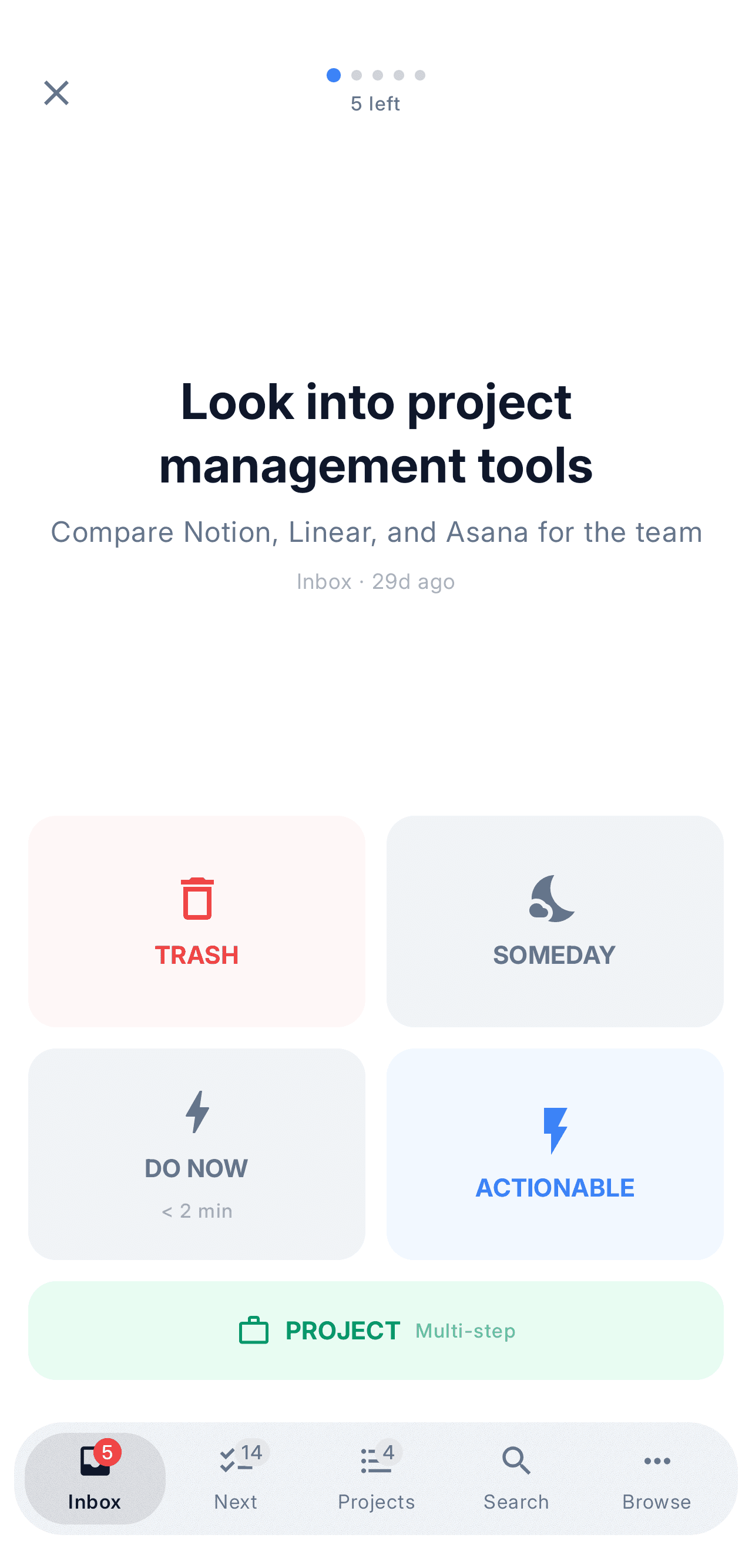
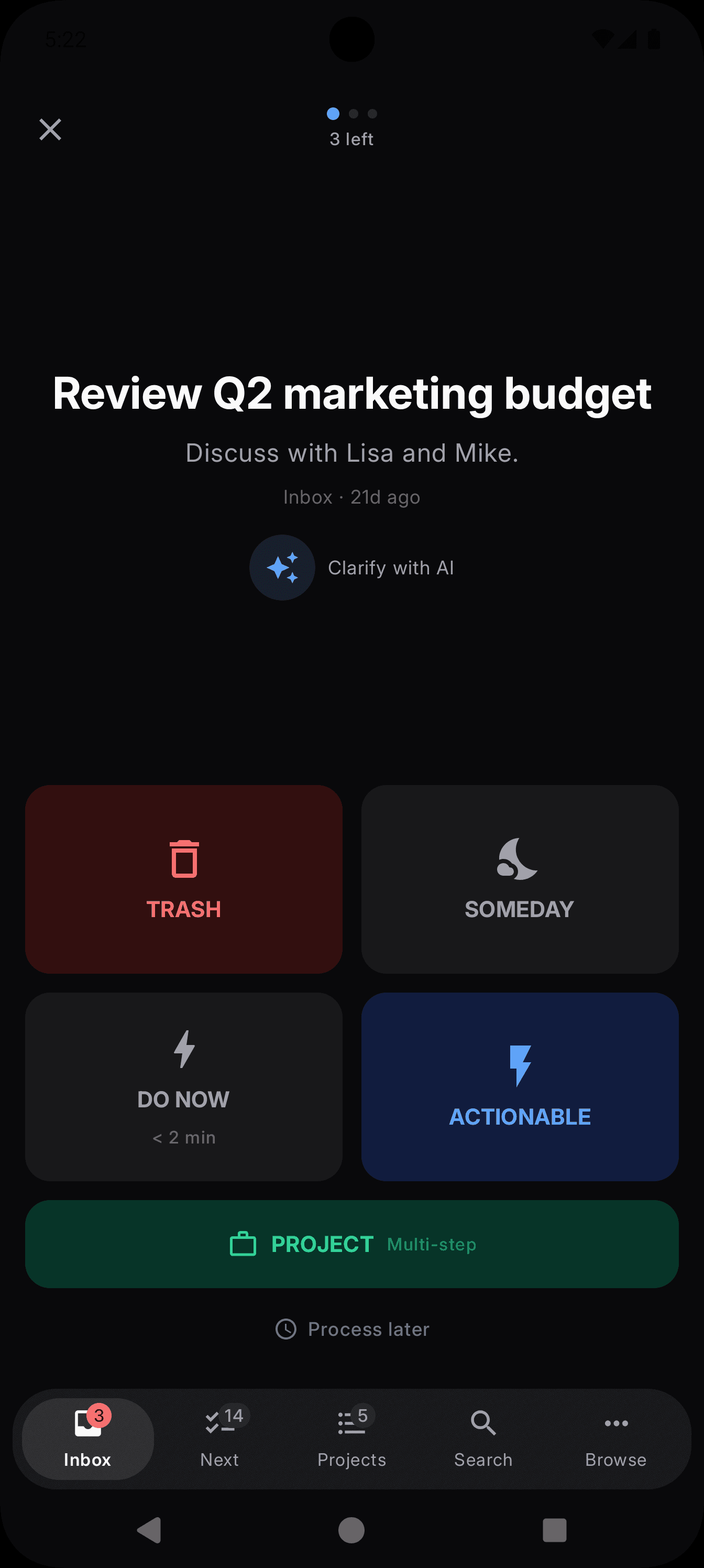
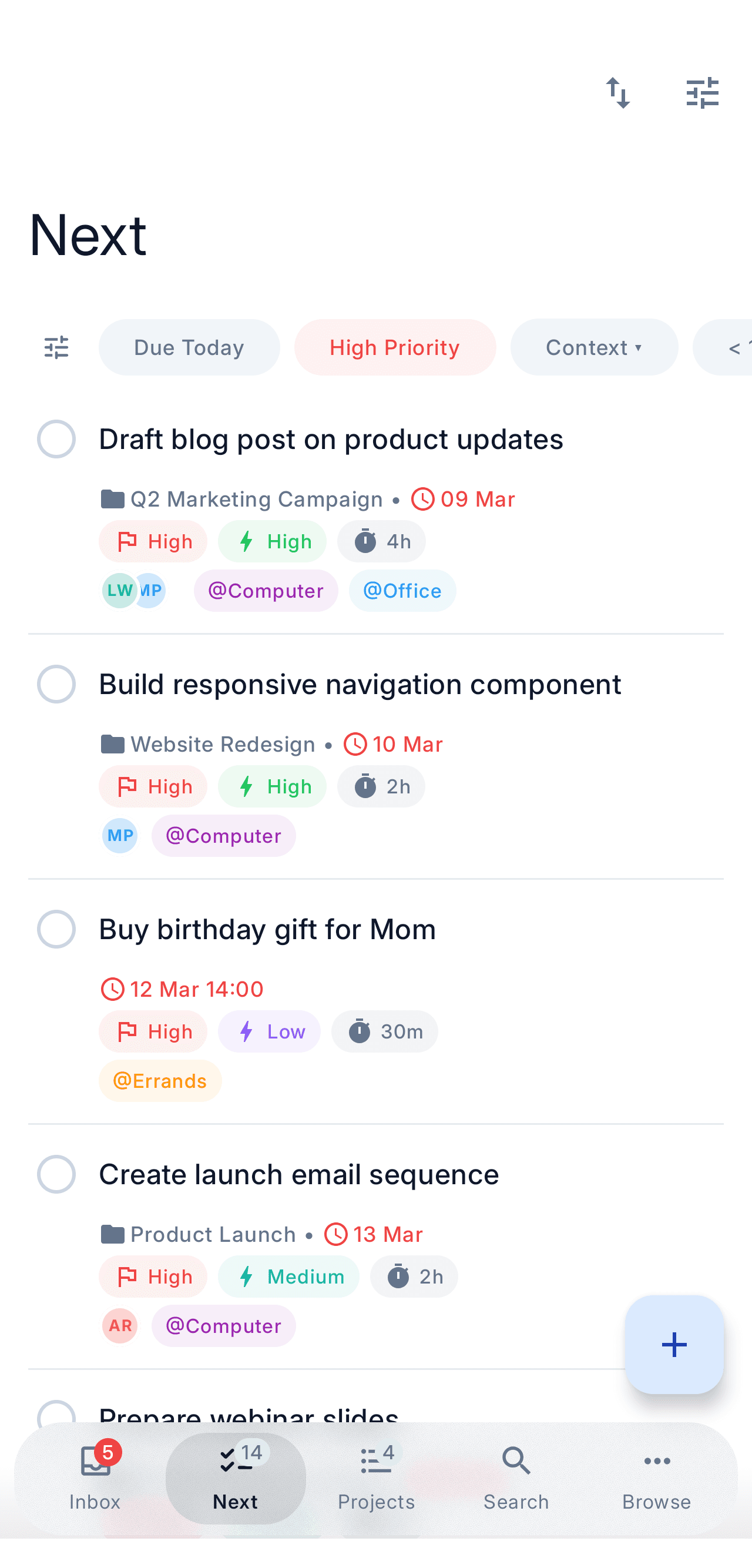
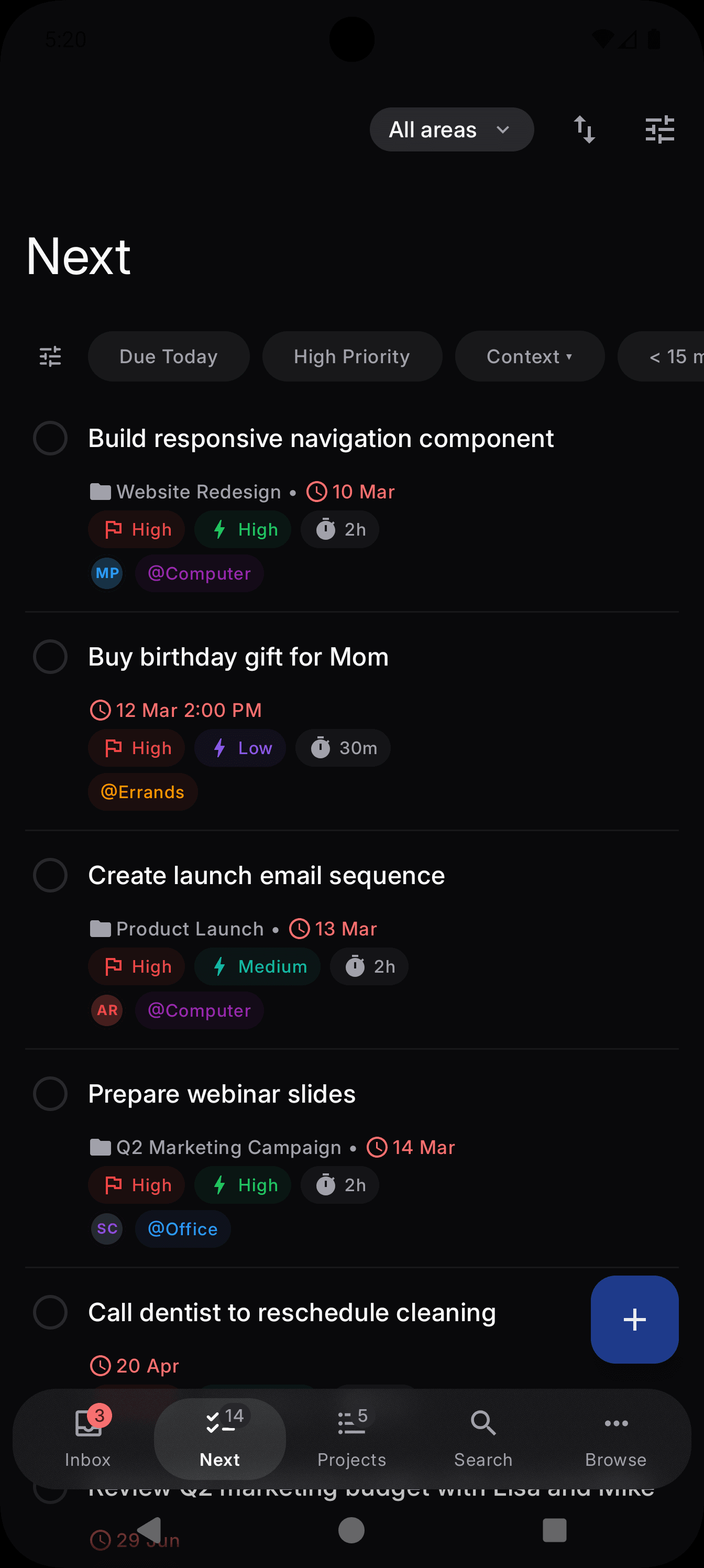
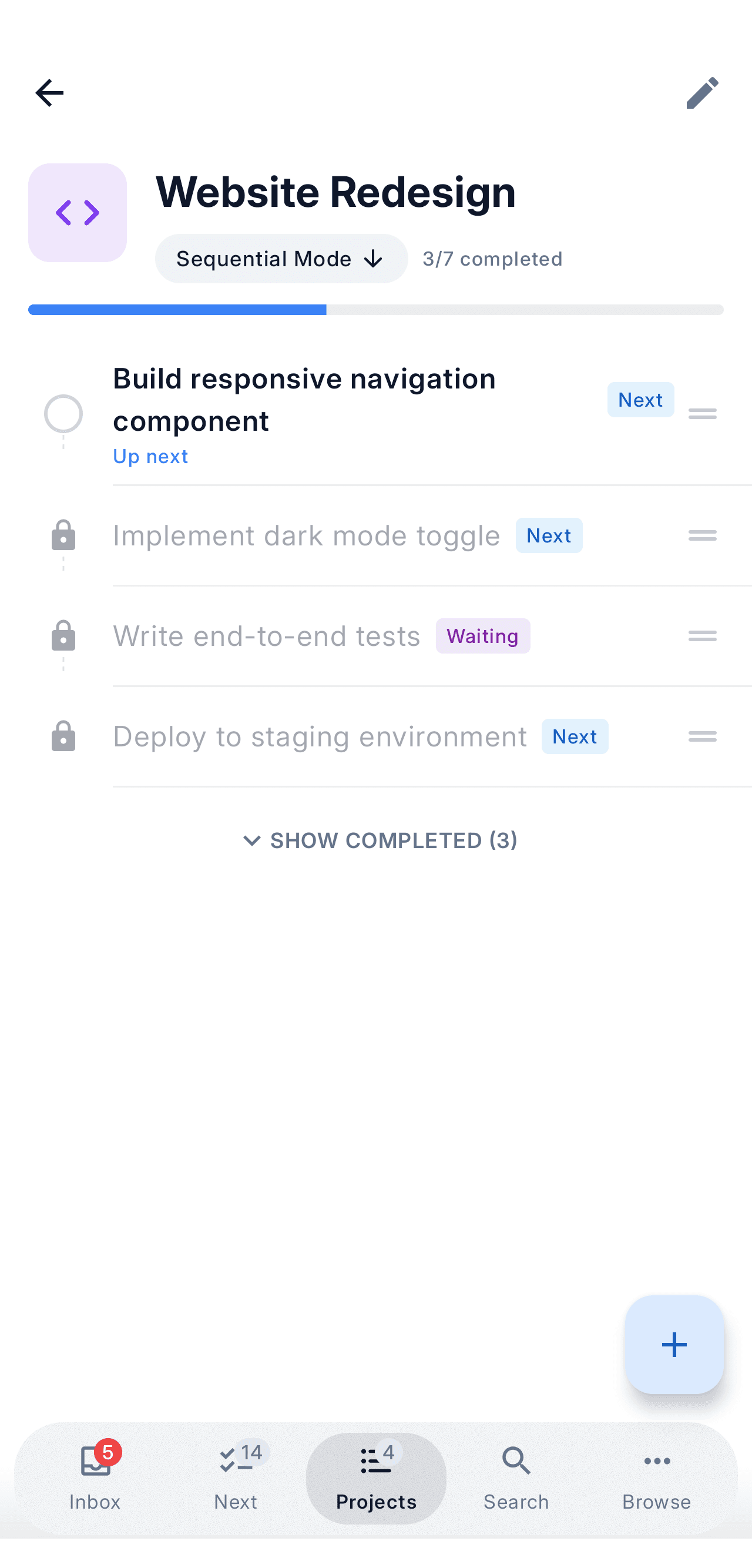
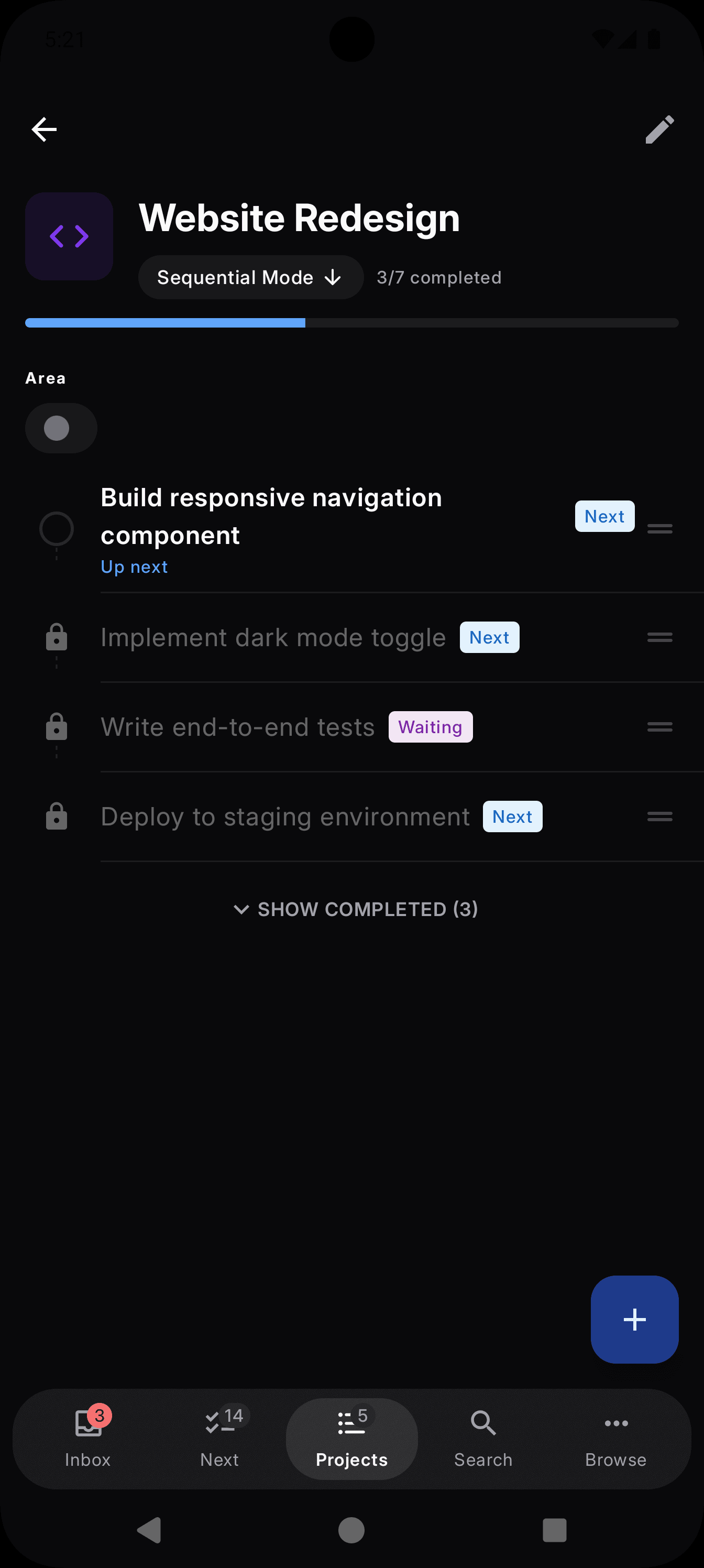
What NextThing looks like - Platforms
- iOS, Android, macOS, Windows, Linux
- Price
- Free (5 projects) · Premium $6.99/mo
GTD fit
- Guided two-step inbox processing
- Sequential projects and Waiting For with contacts
- Energy and time filtering for picking next actions
- Weekly review built in
Nirvana
Best for GTD purists on a budgetNirvana was designed around GTD from day one, and it shows: Next Actions, Waiting For, Someday/Maybe, and energy and time filters map one-to-one onto the method with zero setup. If you want the canonical GTD lists exactly as the book describes them, Nirvana delivers — and at $3 a month for Pro, it is the cheapest dedicated GTD app here. The trade-offs: the interface has aged, development has been slow for years, and the apps are web-first at heart, so offline support stays limited.
- Platforms
- Web, iOS, Android, macOS, Windows
- Price
- Free (limited projects) · Pro $3/mo billed annually
Read the full head-to-head: vs NirvanaGTD fit
- Canonical GTD lists out of the box
- Energy and time filtering
- Waiting For tracking
- Web-first at heart: limited offline, dated interface
FacileThings
Best for strict, by-the-book GTDFacileThings is the most orthodox GTD implementation on this list — it doesn't just allow the method, it enforces it. The app walks you through capture, clarify, organize, reflect, and engage as distinct stages, and its guided weekly review is the most thorough in the category. The cost of that rigor: there is no free plan (a 30-day trial, then from about €5 a month billed annually), it is web-first with companion iPhone and Android apps, and if you try to bend the rules, the app pushes back. For purists who want software that keeps them honest, that is exactly the point.
- Platforms
- Web, iOS, Android
- Price
- No free plan · from €5.33/mo billed annually
GTD fit
- Enforces all five GTD stages
- The most thorough guided weekly review
- Calendar, Evernote, and email integrations
- No free plan; web-first
OmniFocus
Best for Apple power usersOmniFocus is the deepest GTD engine on the list. Defer dates, sequential and parallel projects, a dedicated review mode, and custom perspectives let you model almost any workflow — if you are willing to climb the learning curve. It is Apple-only (Mac, iPhone, iPad, Apple Watch), with web access included in the subscription rather than the one-time license. If you live entirely in the Apple ecosystem and enjoy tuning your system, OmniFocus rewards the investment like nothing else.
- Platforms
- macOS, iOS, iPadOS, watchOS · web with subscription
- Price
- $74.99 one-time (Standard) · $99.99/yr incl. web
Read the full head-to-head: vs OmniFocusGTD fit
- Sequential projects and defer dates
- Dedicated review mode
- Custom perspectives for any workflow
- Steep learning curve, Apple-only
Things 3
Best design — if you're all-in on AppleThings 3 is the best-looking task manager ever shipped — an Apple Design Award winner with one-time pricing and a famously calm interface. As a GTD tool it is deliberately partial: no sequential projects, no Waiting For, no energy filtering, no built-in review. Many people happily run a lightweight GTD on it anyway, using tags and start dates as workarounds. Apple-only: Mac, iPhone, iPad. If polish matters more to you than methodology, this is the one.
- Platforms
- macOS, iOS, iPadOS
- Price
- One-time: $49.99 Mac · $9.99 iPhone · $19.99 iPad
Read the full head-to-head: vs Things 3GTD fit
- Beautiful, low-friction capture and organizing
- Someday list and tags as contexts
- No sequential projects or Waiting For
- No built-in weekly review
Everdo
Best for privacy and offline workEverdo is what you pick when you want your GTD system to never leave your machines. It runs natively on Windows, Mac, Linux, Android, and iOS, works fully offline, and syncs over your local network at no cost — encrypted cloud sync is a paid add-on, or you can self-host. The GTD model is complete: next actions, Waiting For, Someday, scheduled items, and contexts via tags. The trade-offs: a utilitarian interface, a tiny team with an unhurried release pace, and a Pro license that costs $99.99 one-time.
- Platforms
- Windows, macOS, Linux, Android, iOS
- Price
- Free (5 projects) · Pro $99.99 one-time
GTD fit
- Full GTD lists incl. Waiting For and Someday
- Offline-first; free local-network sync
- One license covers every platform
- Utilitarian UI; slow release cadence
Todoist
Best for teams and ecosystem reachTodoist runs everywhere — web, Windows, macOS, Linux, iOS, Android, browser extensions — and its natural-language quick add is still the fastest capture in the business. It is a general-purpose to-do app rather than a GTD app: contexts, Waiting For, and reviews all require manual setup with labels and filters, and nothing guides you through processing. But if you share projects with other people or depend on integrations, nothing else on this list comes close.
- Platforms
- Web, Windows, macOS, Linux, iOS, Android
- Price
- Free · Pro $5/mo billed annually
Read the full head-to-head: vs TodoistGTD fit
- Fastest natural-language capture
- Labels and filters can emulate contexts
- GTD requires manual setup and upkeep
- Strongest collaboration and integrations
Can you do GTD in a regular task manager?
Yes — with assembly required. TickTick adds a calendar view, habit tracking, and a Pomodoro timer to a capable cross-platform task manager, and its tags and smart lists can stand in for contexts and next actions. Notion and ClickUp can model GTD too, but they are workspace tools first: powerful if you already live in them, heavy if all you want is a trusted personal system.
The pattern is the same in all of them: you build GTD out of labels, filters, and recurring tasks, and you maintain that scaffolding yourself. Nothing guides your processing, tracks Waiting For natively, or prompts a weekly review. If that upkeep doesn't scare you, Todoist (above) is the strongest of the generalists; if it does, pick an app where the method is built in.
Frequently asked questions
- What is the best app for GTD?
- There is no single best — it depends on your platforms and how strictly you follow the method. For a faithful GTD implementation with native apps on every platform, we built NextThing. On Apple devices, OmniFocus is the most powerful and Things 3 the most polished. Nirvana and FacileThings are the purest dedicated implementations, Everdo is the privacy-first choice, and Todoist is the strongest general-purpose app you can adapt to GTD.
- What is the best GTD app for Android?
- Many classic GTD apps are Apple-only: OmniFocus and Things 3 have no Android version at all. On Android your realistic options are NextThing (native app, full GTD workflow), Nirvana (faithful GTD model), Everdo (offline-first and private), and Todoist or TickTick if you are willing to assemble GTD yourself with labels and filters.
- What is the best free GTD app?
- The most usable free GTD setups are NextThing's free tier (full workflow, up to 5 projects), Nirvana's free plan (limited projects), and Everdo's free tier (5 projects, local sync). Todoist's free plan works too if you set up GTD manually. OmniFocus and Things 3 are paid apps with trials, and FacileThings is subscription-only.
- Is Todoist good for GTD?
- Yes, with setup. Todoist doesn't implement GTD concepts natively — you build contexts from labels, Waiting For from a label or shared project, and reviews from a recurring task. Plenty of people run GTD on Todoist happily. If you'd rather have the method built in than assemble and maintain it yourself, a dedicated GTD app saves that ongoing effort.
- Do I need a dedicated GTD app, or will any to-do list work?
- GTD is a method, not software — David Allen famously ran it on paper. Any list manager can work. A dedicated GTD app removes friction at the exact points where general apps need workarounds: processing the inbox, hiding future actions in sequential projects, tracking Waiting For, and prompting a weekly review. Less friction means you actually keep the system going.
- What is the best mobile GTD app?
- For mobile, prioritize instant capture, offline support, and availability on your platform. NextThing and Nirvana cover both iPhone and Android; Things 3 and OmniFocus are iPhone-only. NextThing is the only app in this roundup that is offline-first on mobile and continues as the same native app on macOS, Windows, and Linux.