Mobile GTD
A mobile GTD app that doesn't stop at your phone
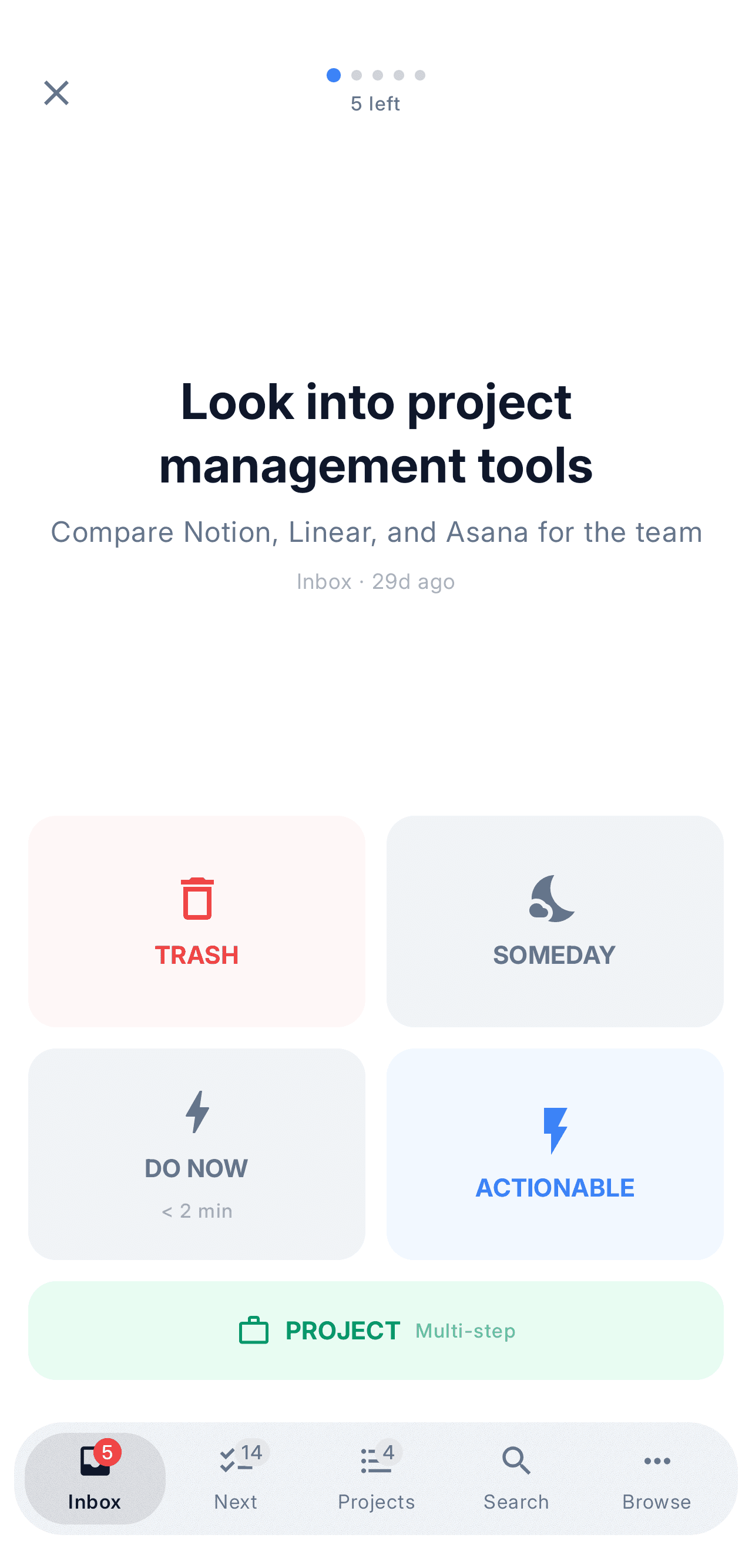
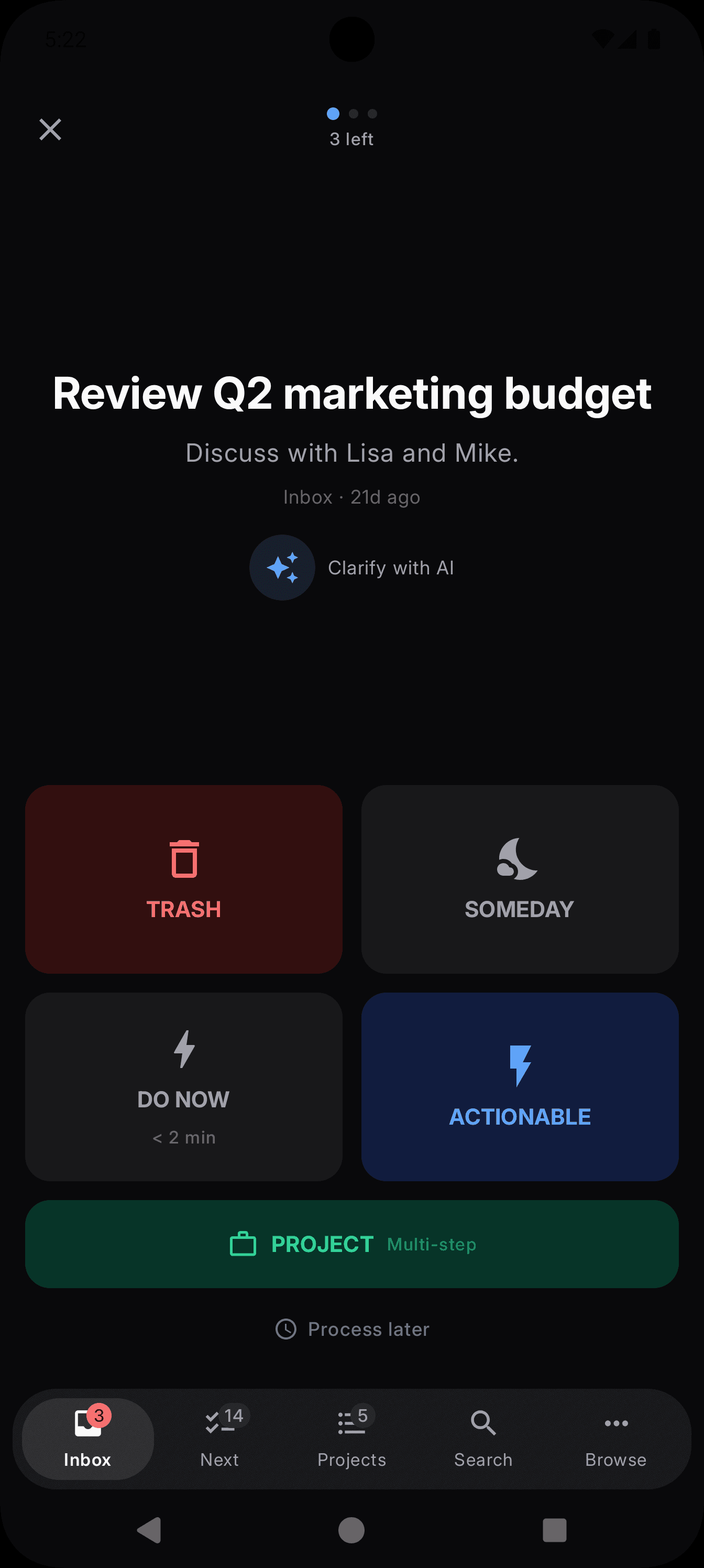
Capture belongs in your pocket: most tasks show up while you're nowhere near a desk. NextThing is a native, offline-first Getting Things Done app for iPhone and Android — and the exact same system keeps going on your desktop.
The short version
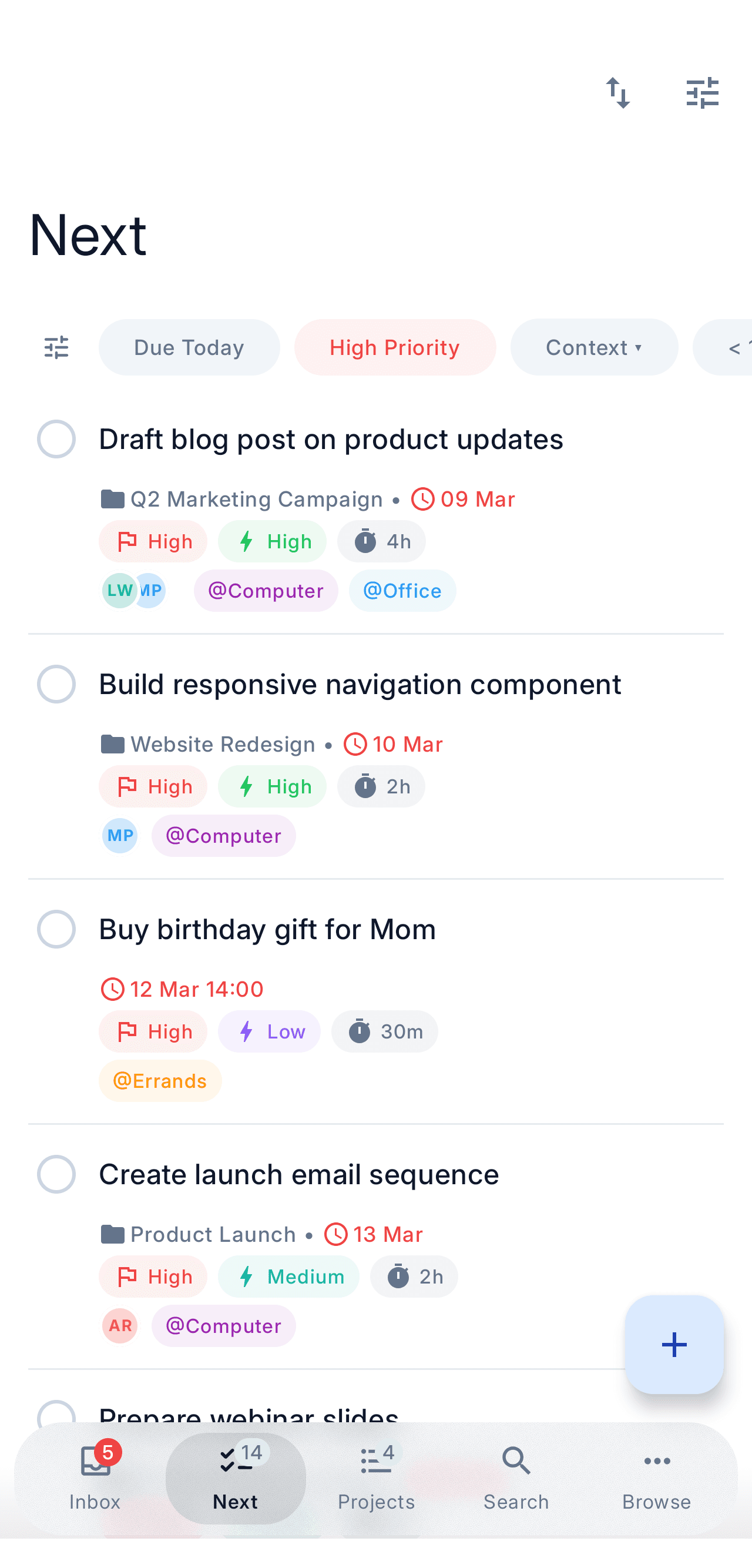
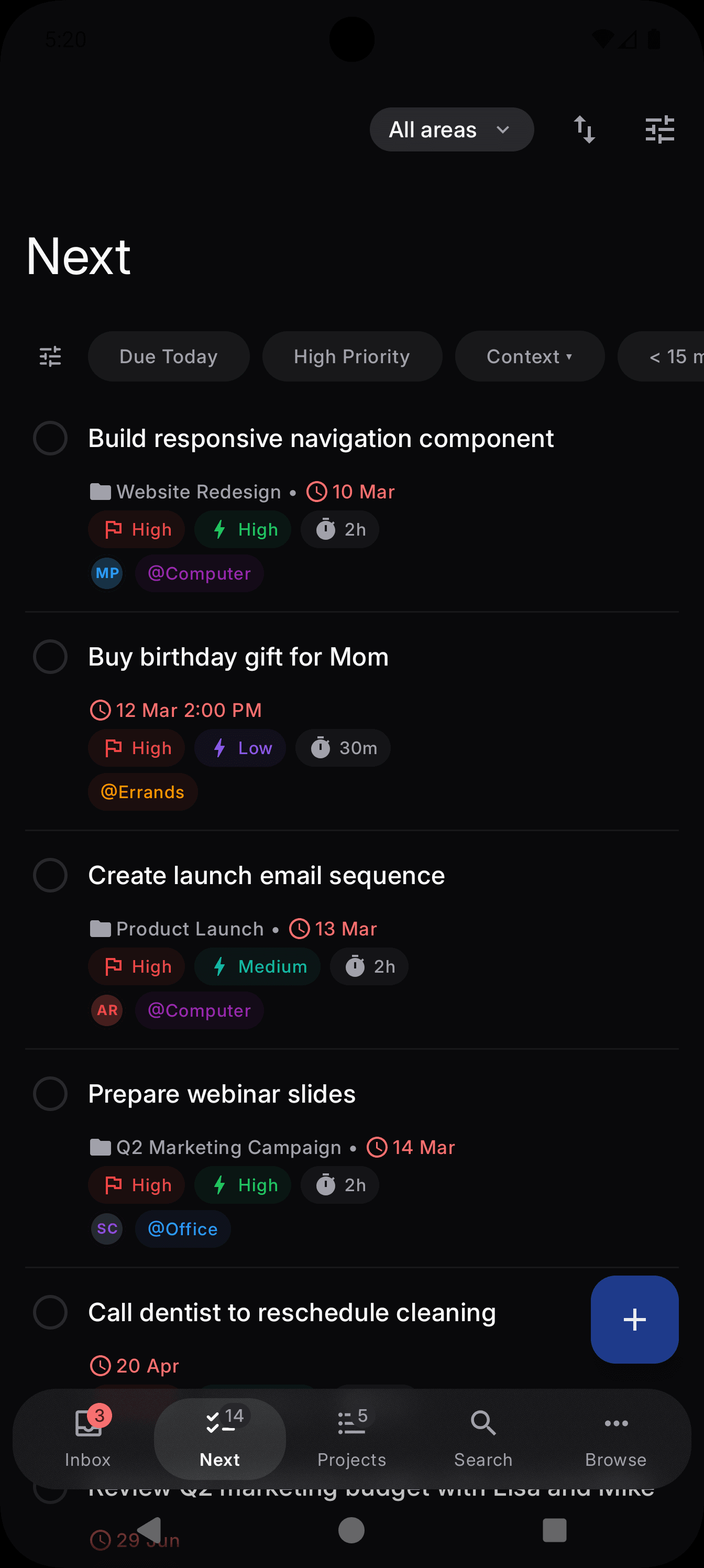
Most dedicated GTD apps skip Android, and most task managers that cover both phones aren't really built around Getting Things Done. NextThing does both: native iPhone and Android apps with guided inbox processing and offline-first sync — and it stays one system when you sit down at a Mac, Windows, or Linux machine.
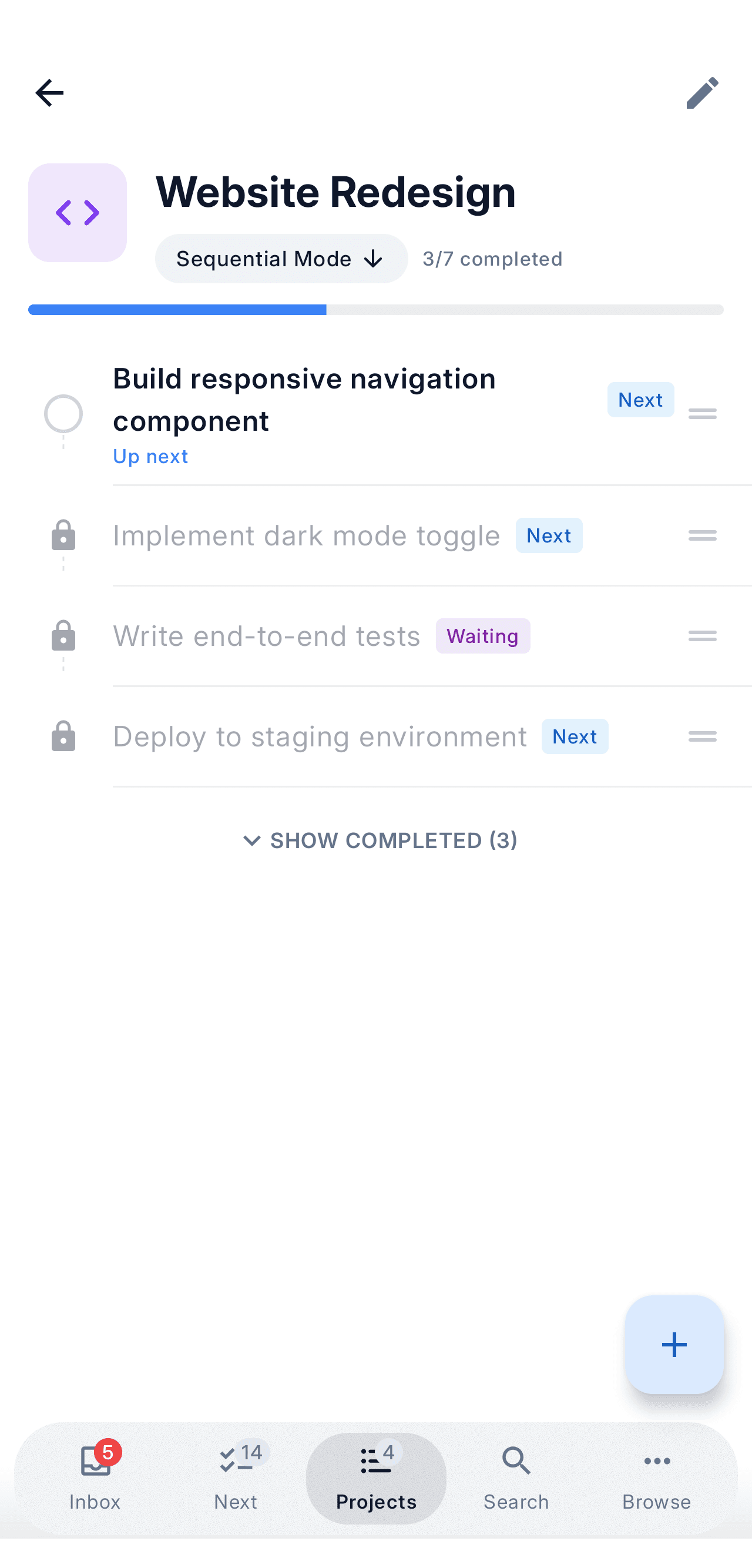
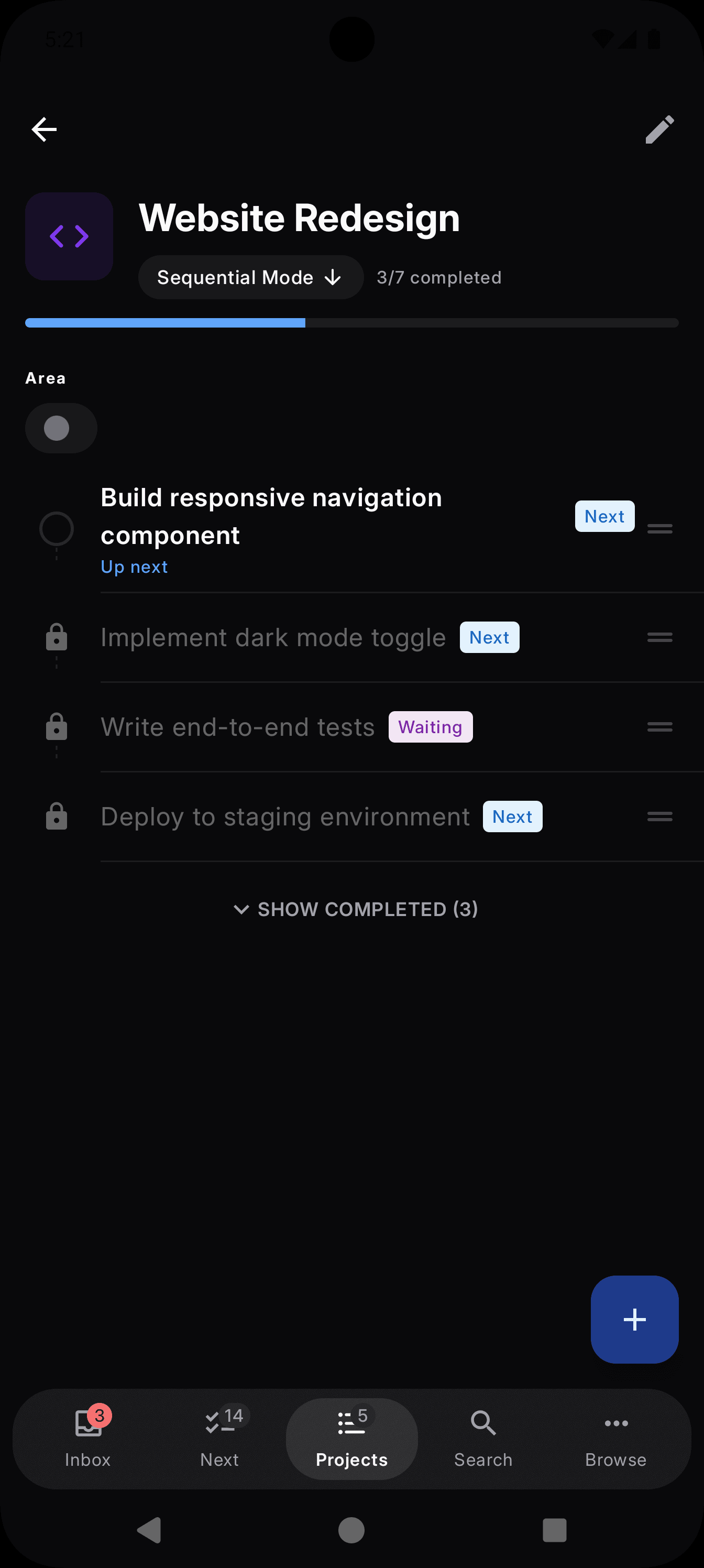
Which GTD apps actually cover mobile?
| App | iPhone | Android | Built for GTD | Same app on desktop |
|---|---|---|---|---|
| NextThing | ||||
| OmniFocus | Mac only | |||
| Things 3 | Partial | Mac only | ||
| Nirvana | Desktop app | |||
| Todoist | Partial | Not native |
Capture lives on your phone
GTD stands or falls on capture: the moment something enters your head, it has to land in a trusted inbox before it evaporates. That moment almost never happens at a desk — it happens in a hallway, a supermarket queue, the school pickup line. Whatever app you choose, the phone is where your system meets real life.
That's why NextThing treats mobile as a first-class platform, not a companion app. Quick capture opens instantly, works without a connection, and drops everything into the same inbox you'll process later — including tasks forwarded from Telegram or email on the Premium plan.
Offline-first, because phones live in dead zones
A mobile GTD app that needs a connection fails exactly where phones spend their time: the subway, the plane, the basement gym, the countryside. NextThing writes every change to the device first and syncs in the background, so capture and your next actions are always available.
When you're back online, changes reconcile automatically across all your devices. No refresh button, no conflict pop-ups, no last-write-wins surprises.
The phone is half the system — not all of it
Here's the honest part: clarifying your inbox, planning projects, and doing a weekly review are all nicer on a big screen with a keyboard. A GTD app that exists only on mobile squeezes those sessions into a cramped screen; one that exists only on desktop misses the capture moment. You need both ends.
NextThing is the same native app on iOS, Android, macOS, Windows, and Linux. Capture on the phone in the checkout line, clarify at your desk in the evening — one system, no export, no browser tab pretending to be an app.
Mobile GTD FAQ
What is the best mobile GTD app?
The best mobile GTD app makes capture instant, works offline, and covers both iPhone and Android. NextThing does all three — native apps on both platforms with guided two-step inbox processing — and unlike mobile-only tools it continues as the same native app on macOS, Windows, and Linux. Nirvana also covers both phones; Things 3 and OmniFocus are excellent but Apple-only.
Is there a GTD app that works on both iPhone and Android?
Yes. NextThing ships native apps for both iPhone and Android with the same guided GTD workflow, offline-first storage, and background sync. Most dedicated GTD apps, like Things 3 and OmniFocus, support only Apple devices.
Does a mobile GTD app need to work offline?
In practice, yes. Capture has to work in the subway, on planes, and anywhere coverage drops — if saving a thought can fail, you stop trusting the inbox. NextThing is offline-first: every change is stored on the device immediately and synced later.
Is NextThing free on mobile?
Yes. The free plan includes the full GTD workflow with up to 5 projects and 5 contexts on iPhone and Android. Premium ($6.99/mo) unlocks unlimited projects, Telegram and email capture, and more.
Put your whole system in your pocket
Download NextThingFree on iPhone and Android — and on your desktop too.