Launching soon · Free at launch

Always know your next thing.

Other task apps hand you an empty list and wish you luck. NextThing captures, clarifies, and shows you what to do next — on every device you own.

One email at launch. Early signups get a discount.

Available on all your devices

iOS
macOS
Android
Windows
Linux

See It in Action

Built to keep you in flow.

A calm interface that respects the method — not a todo list with a Next Actions tag bolted on.
NextThing
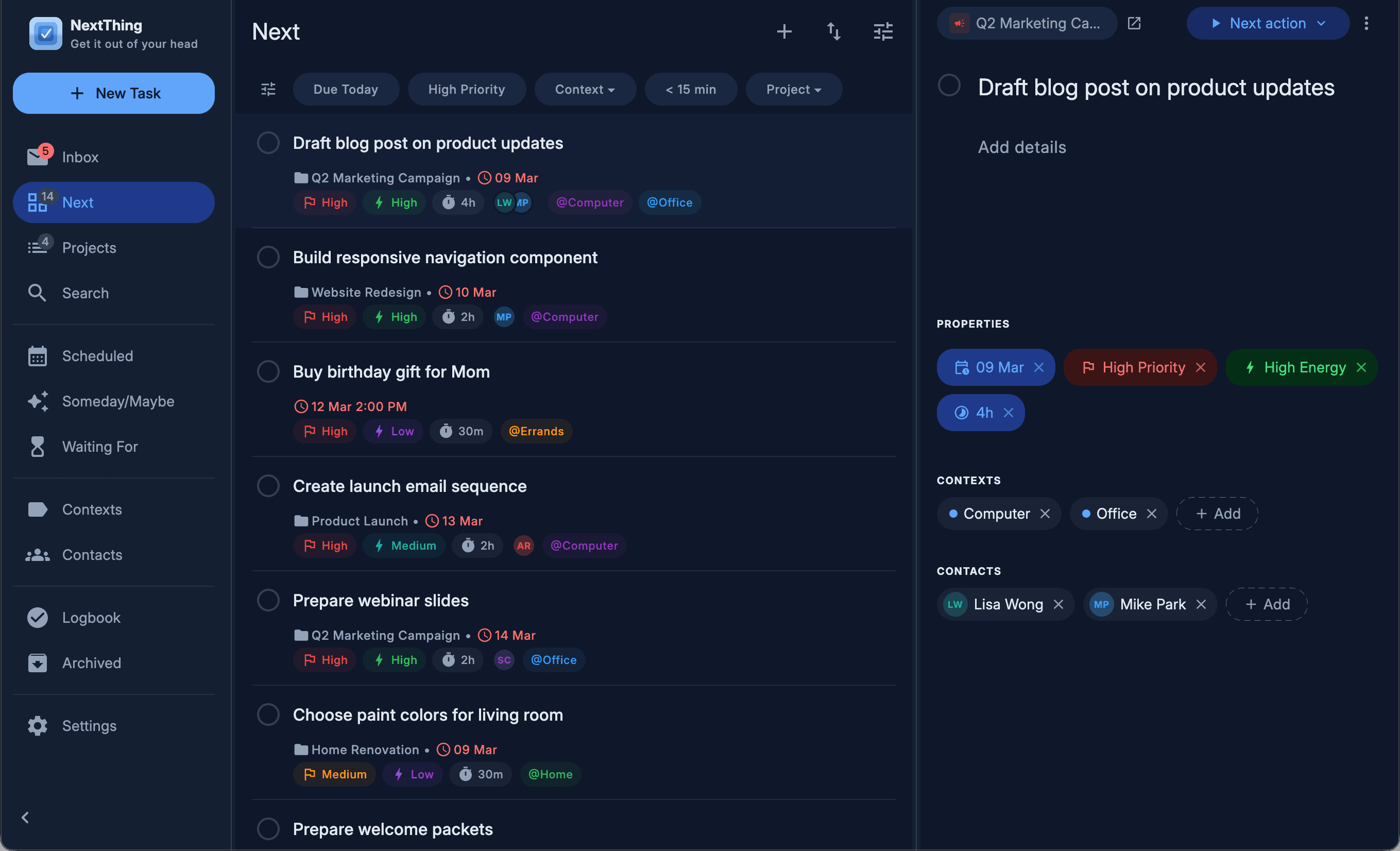
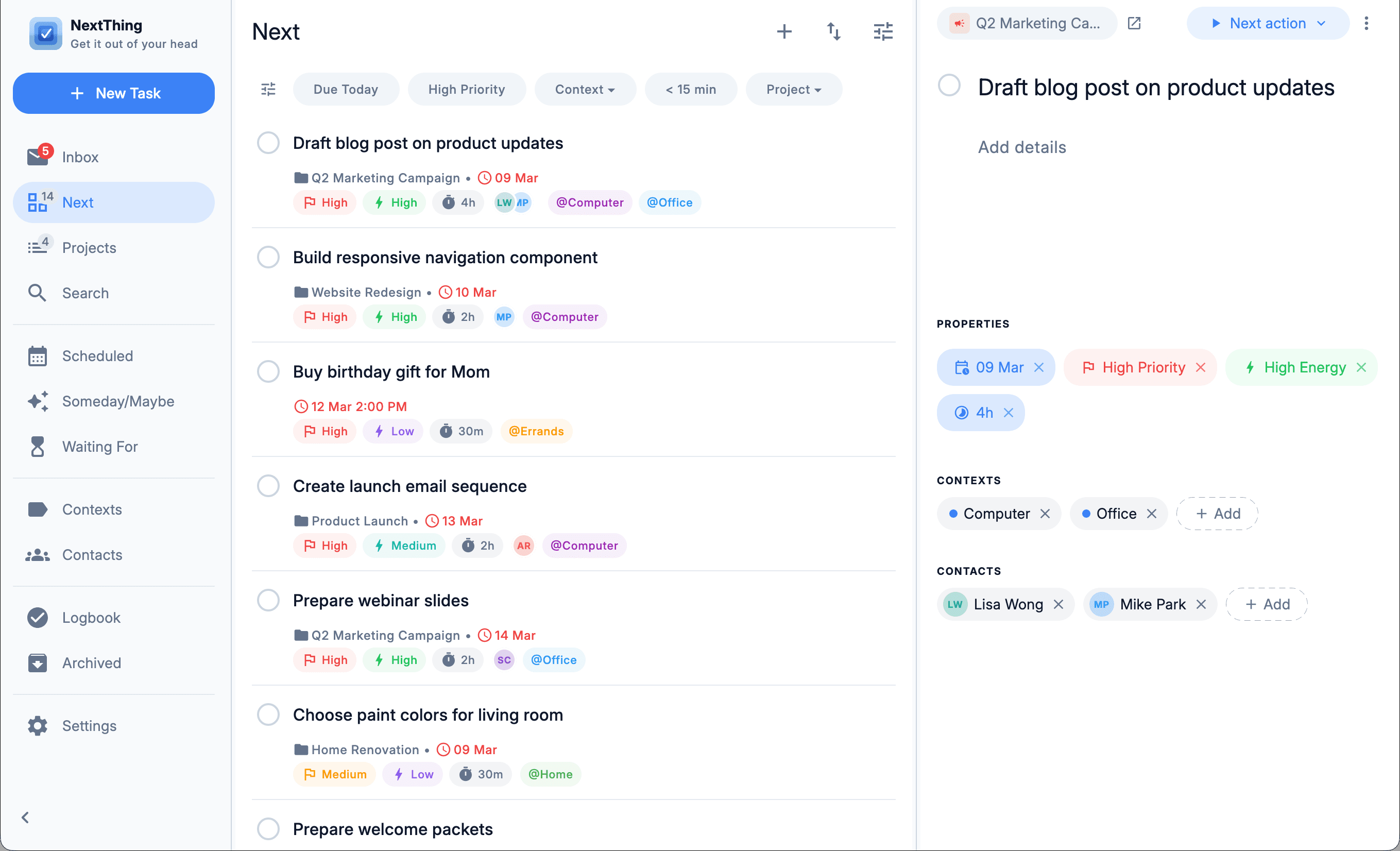
NextThing desktop — Next actions, filtered
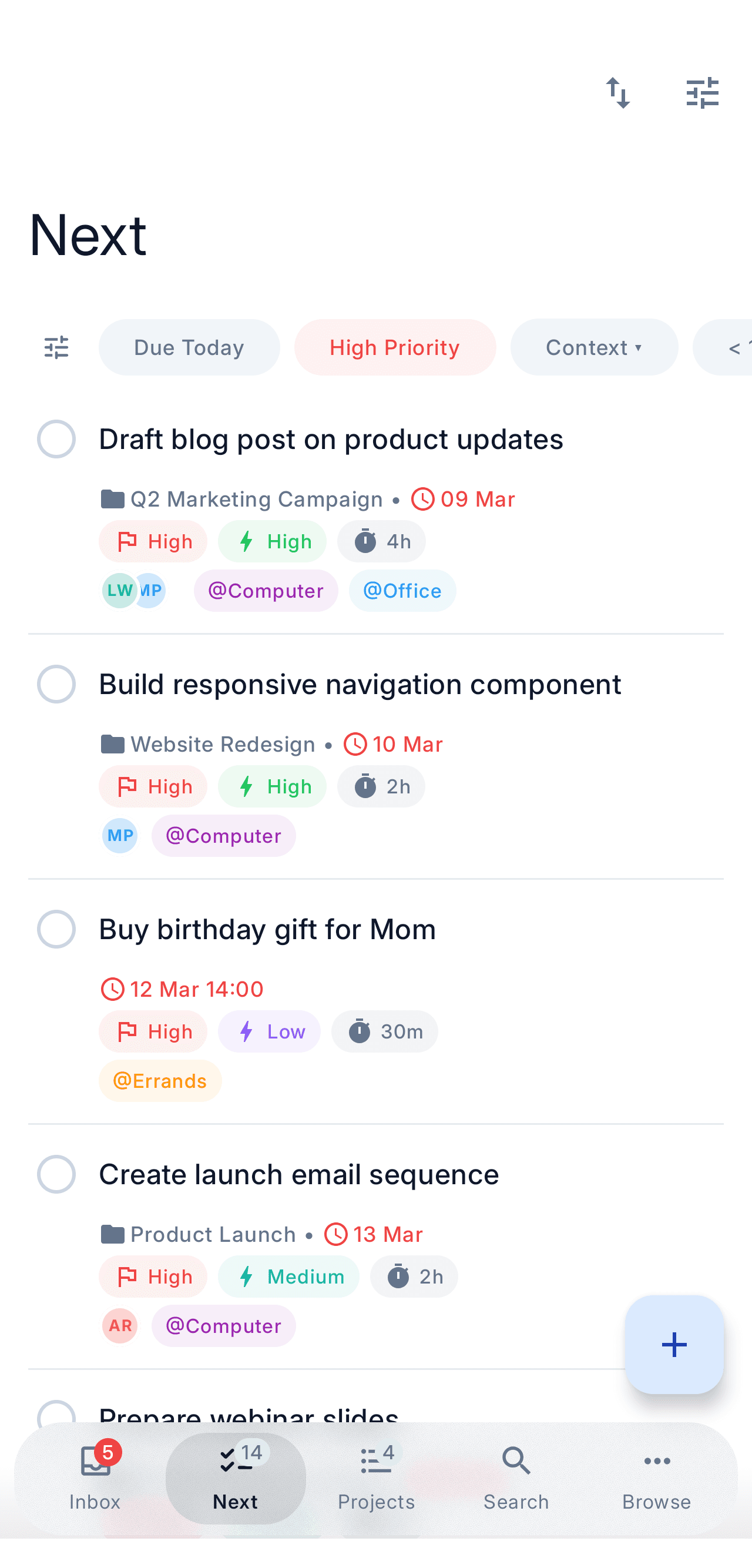
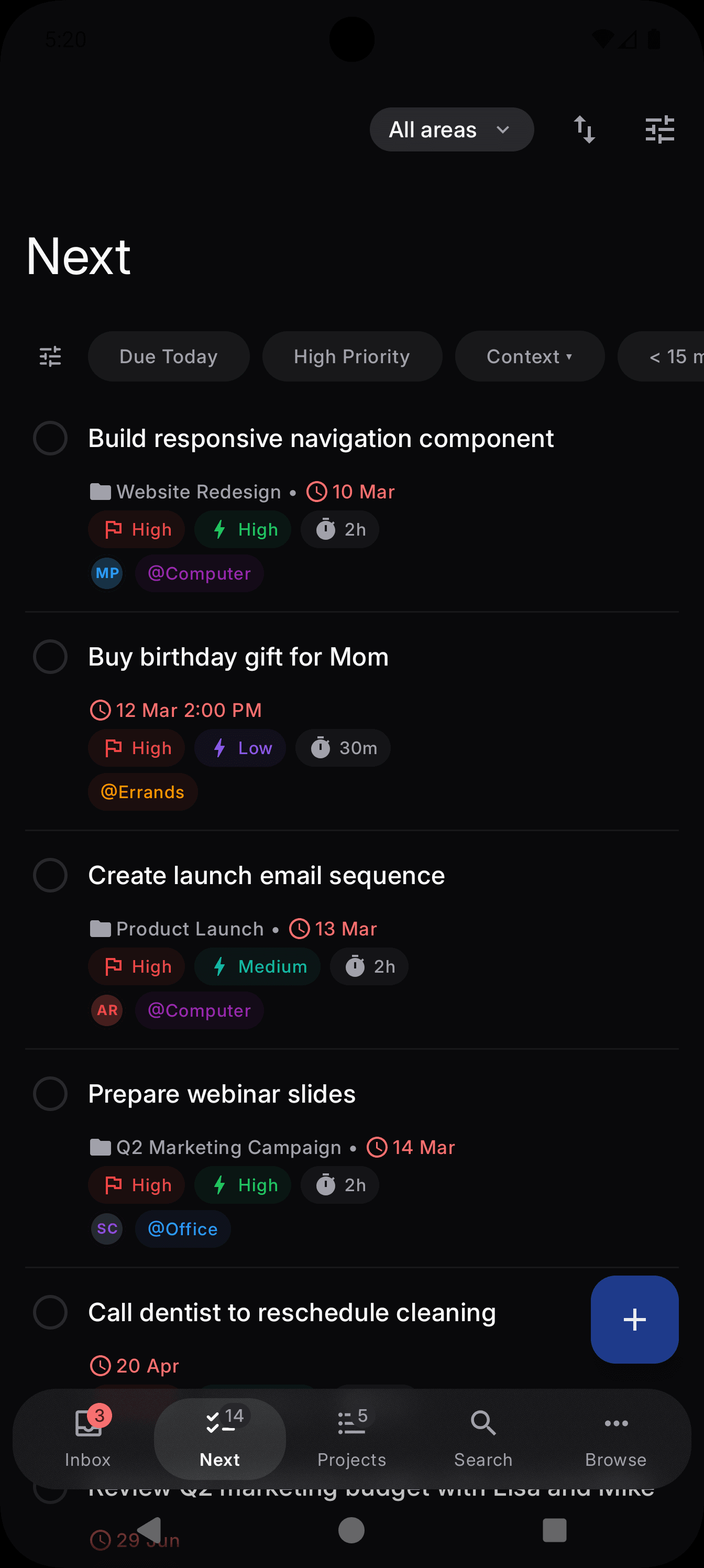
NextThing mobile — Next actions, filtered
NextThing
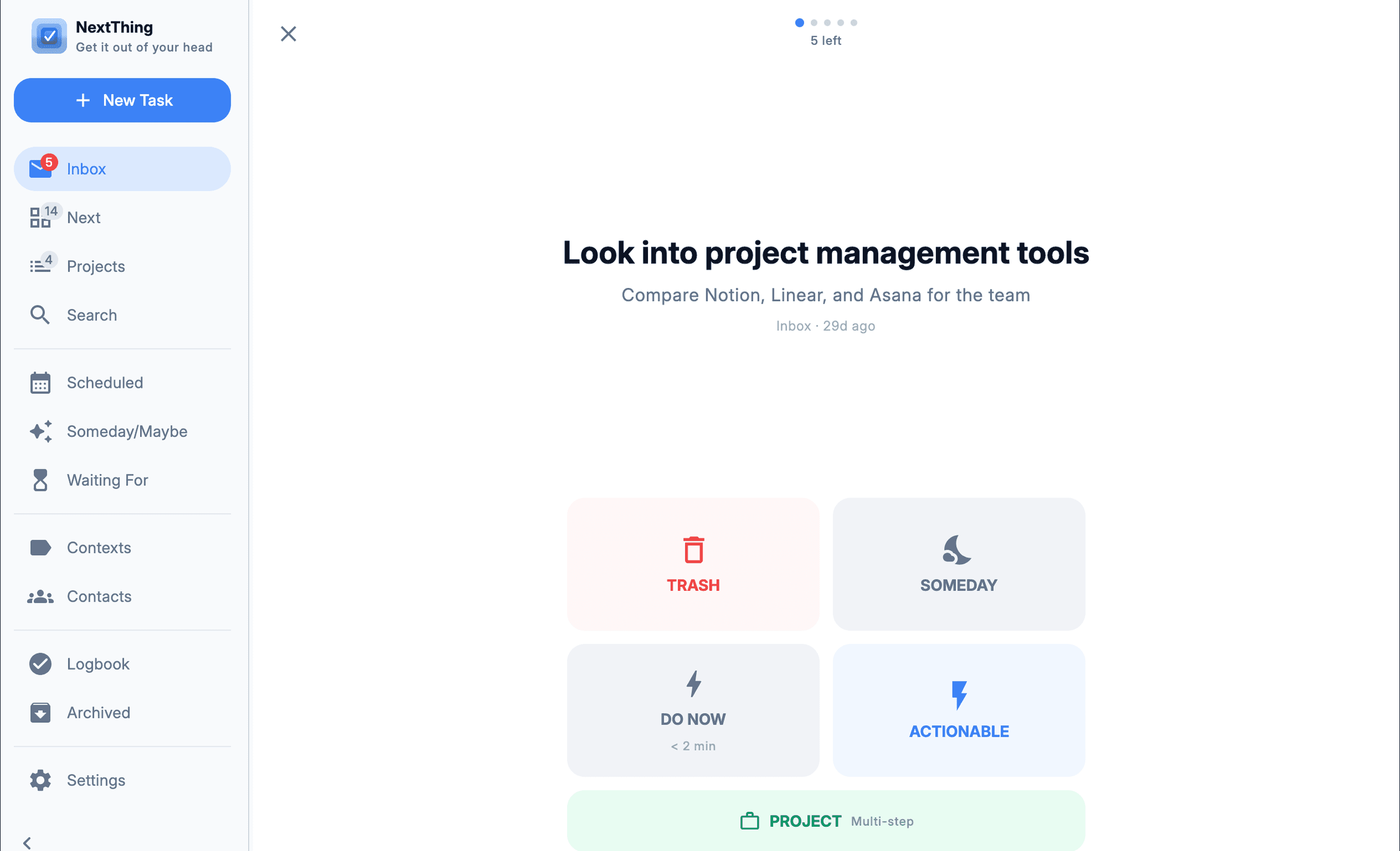
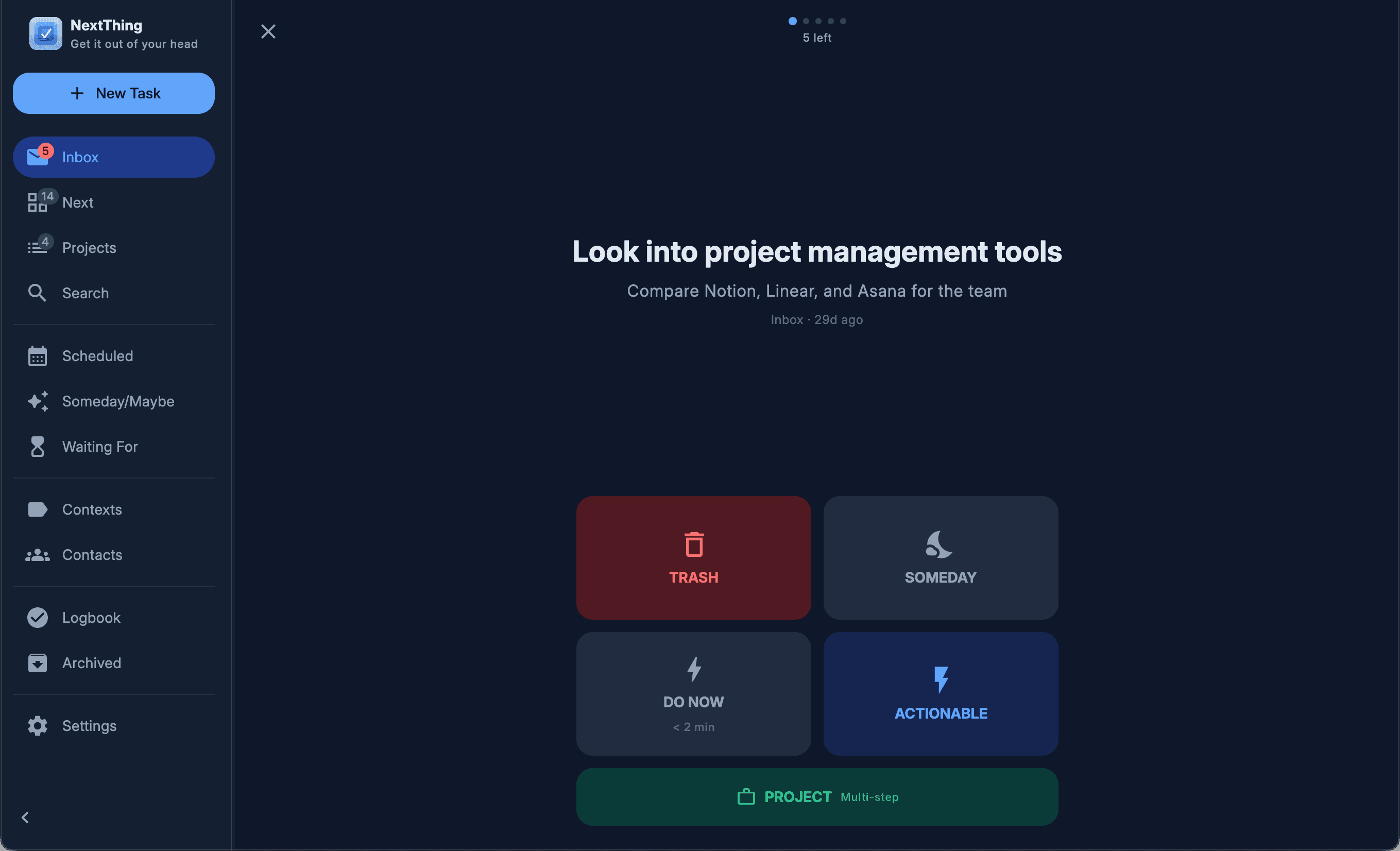
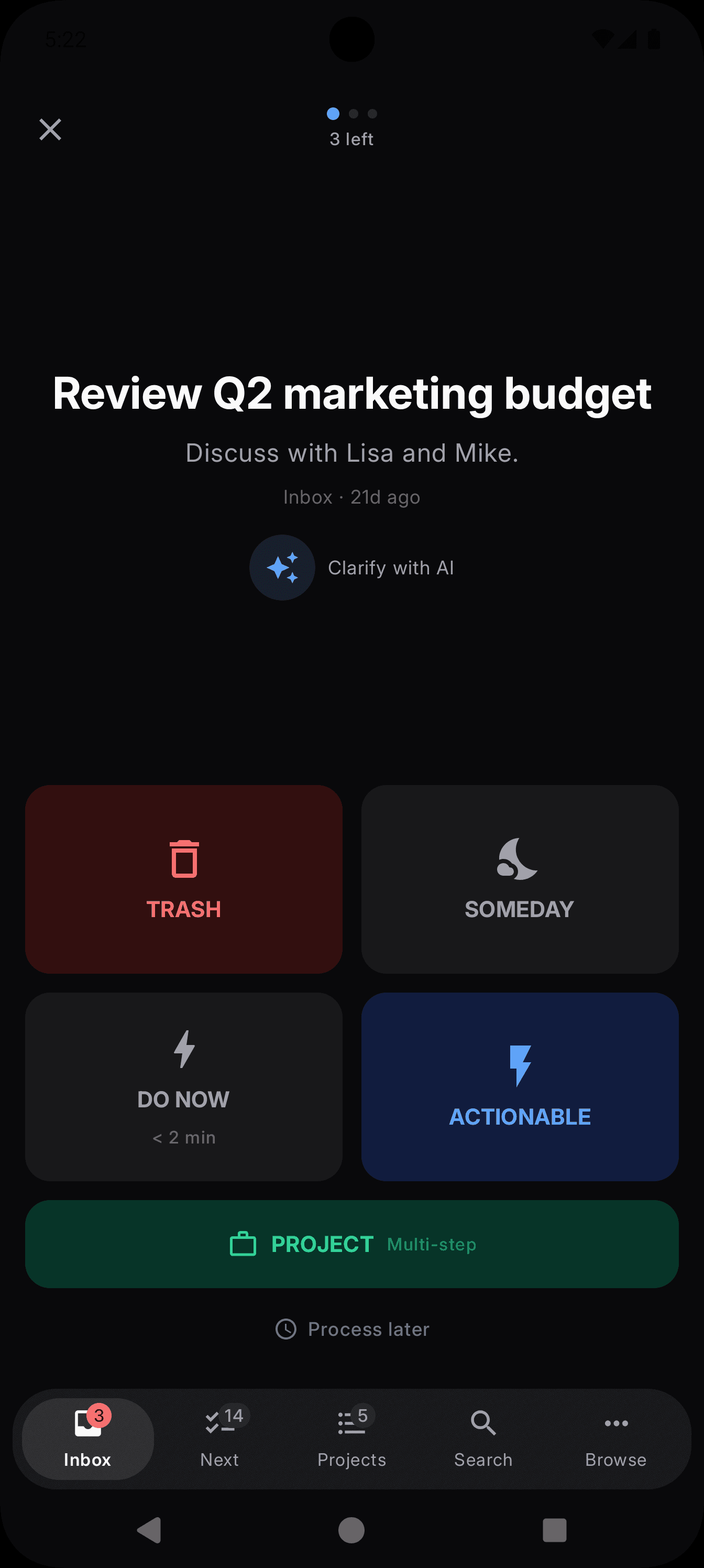
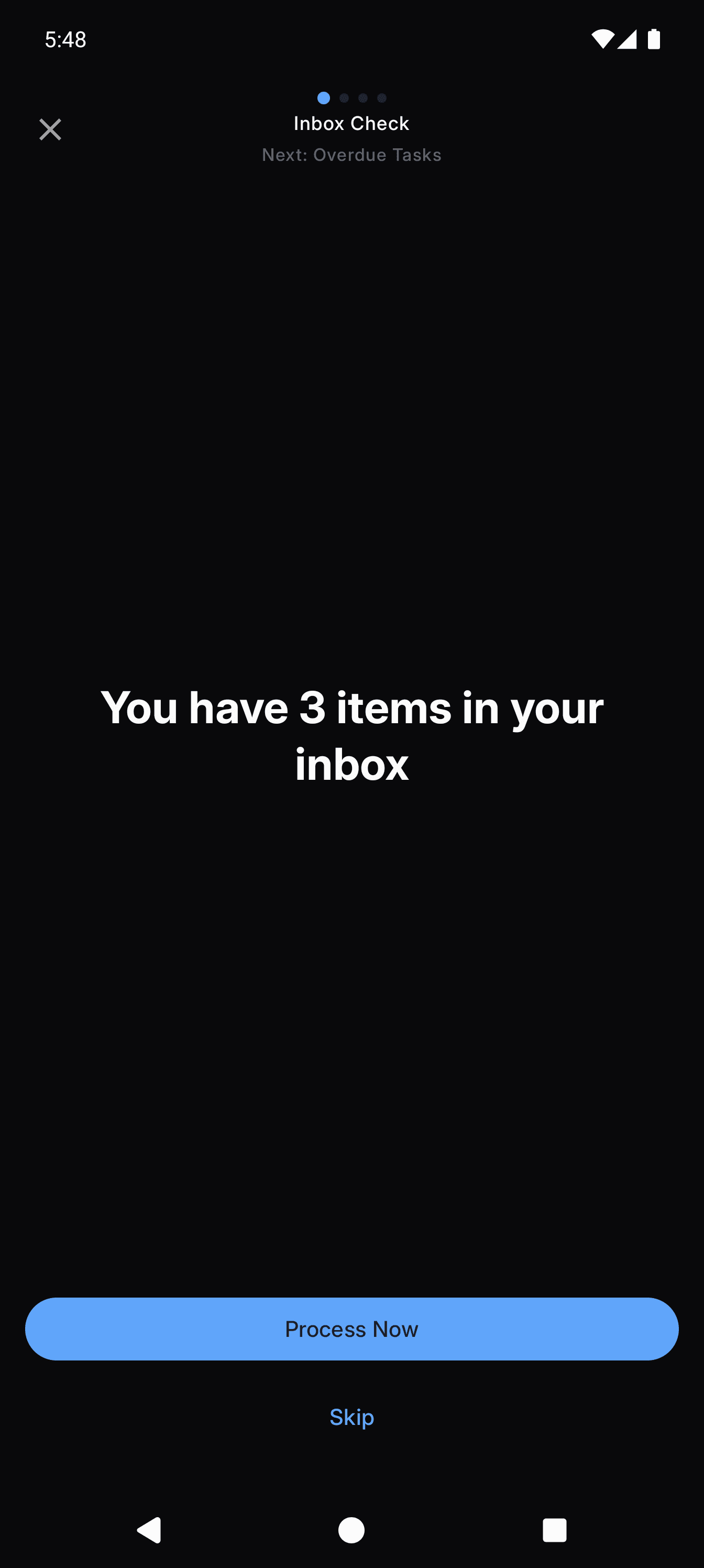
NextThing desktop — Guided inbox processing
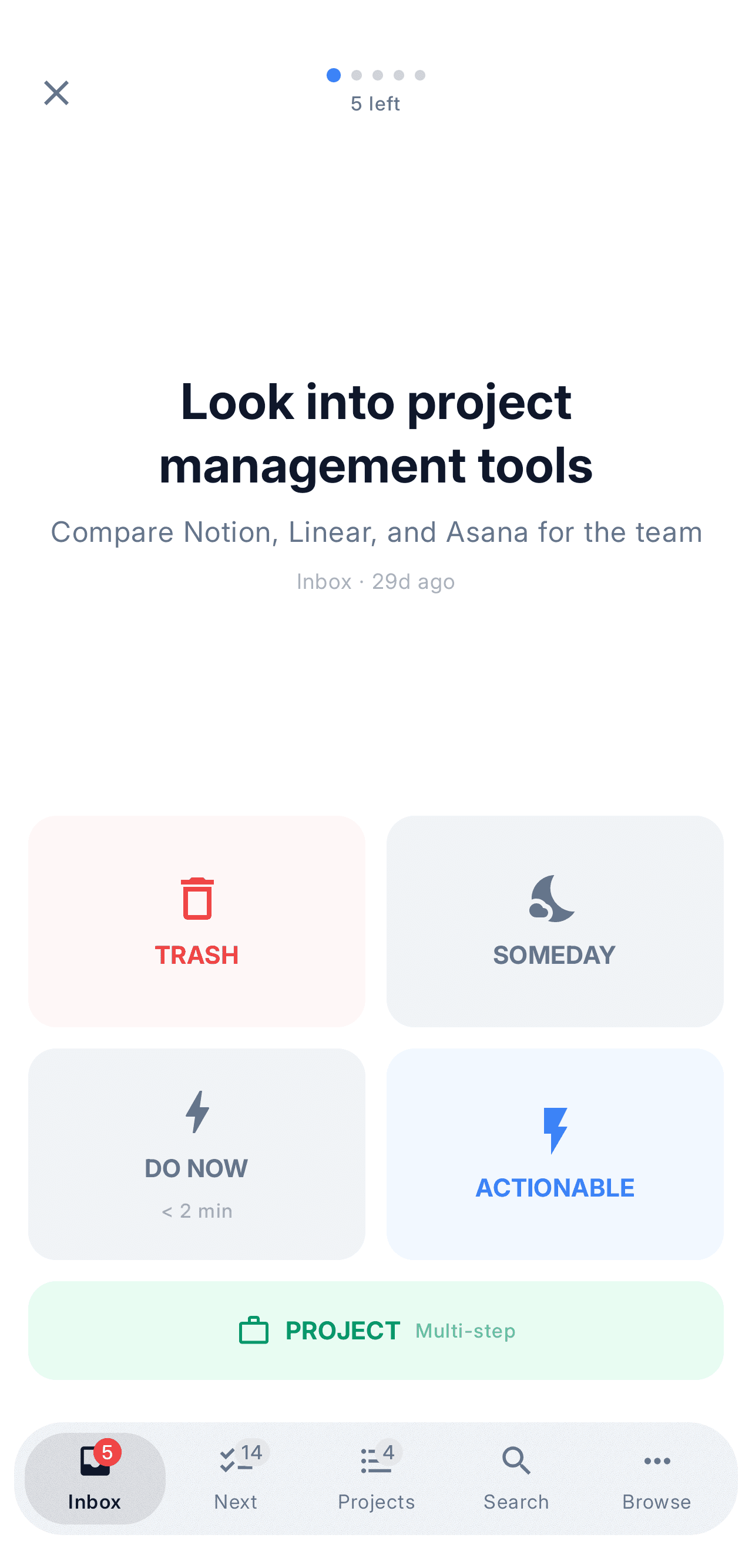
NextThing mobile — Guided inbox processing
NextThing
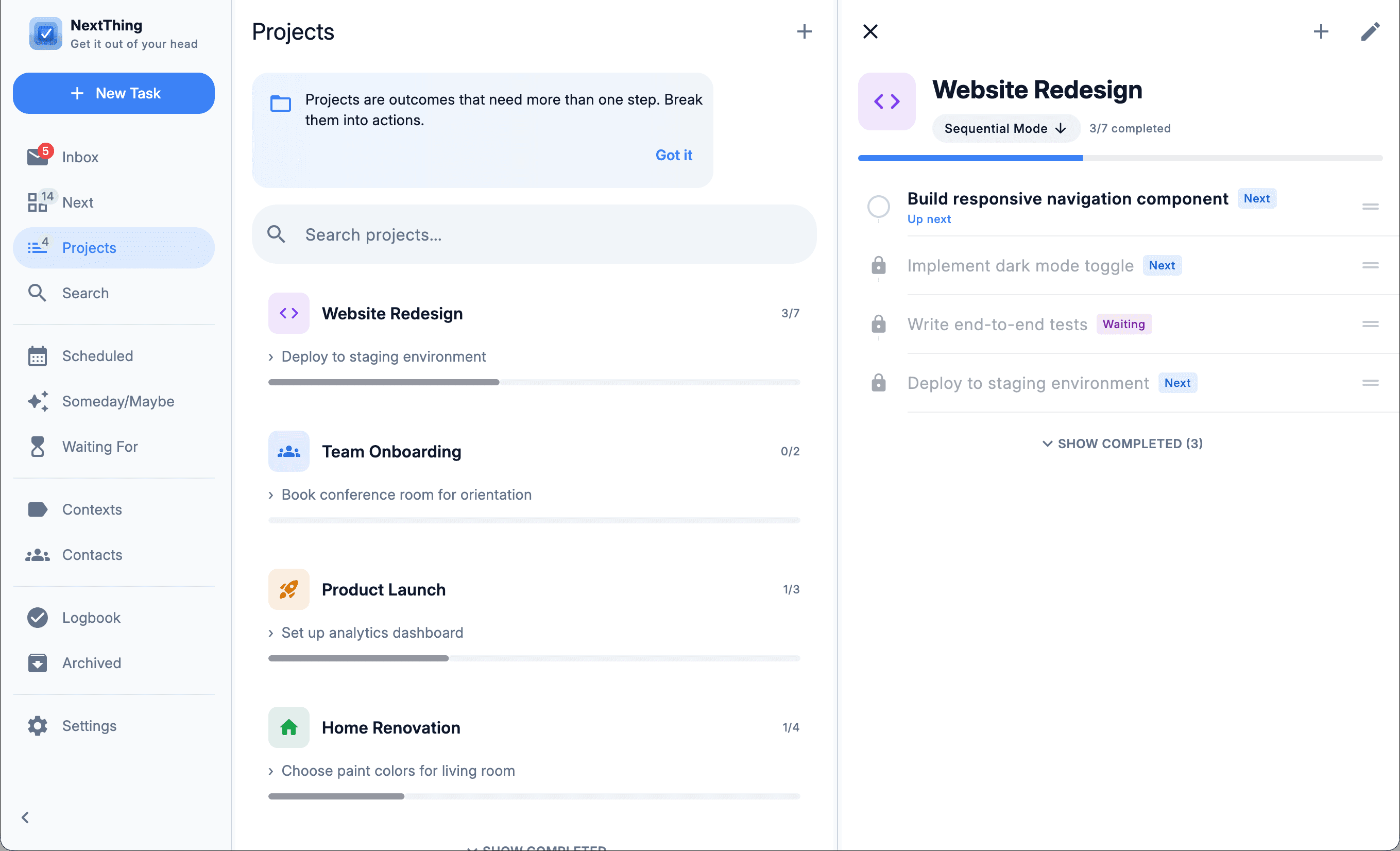
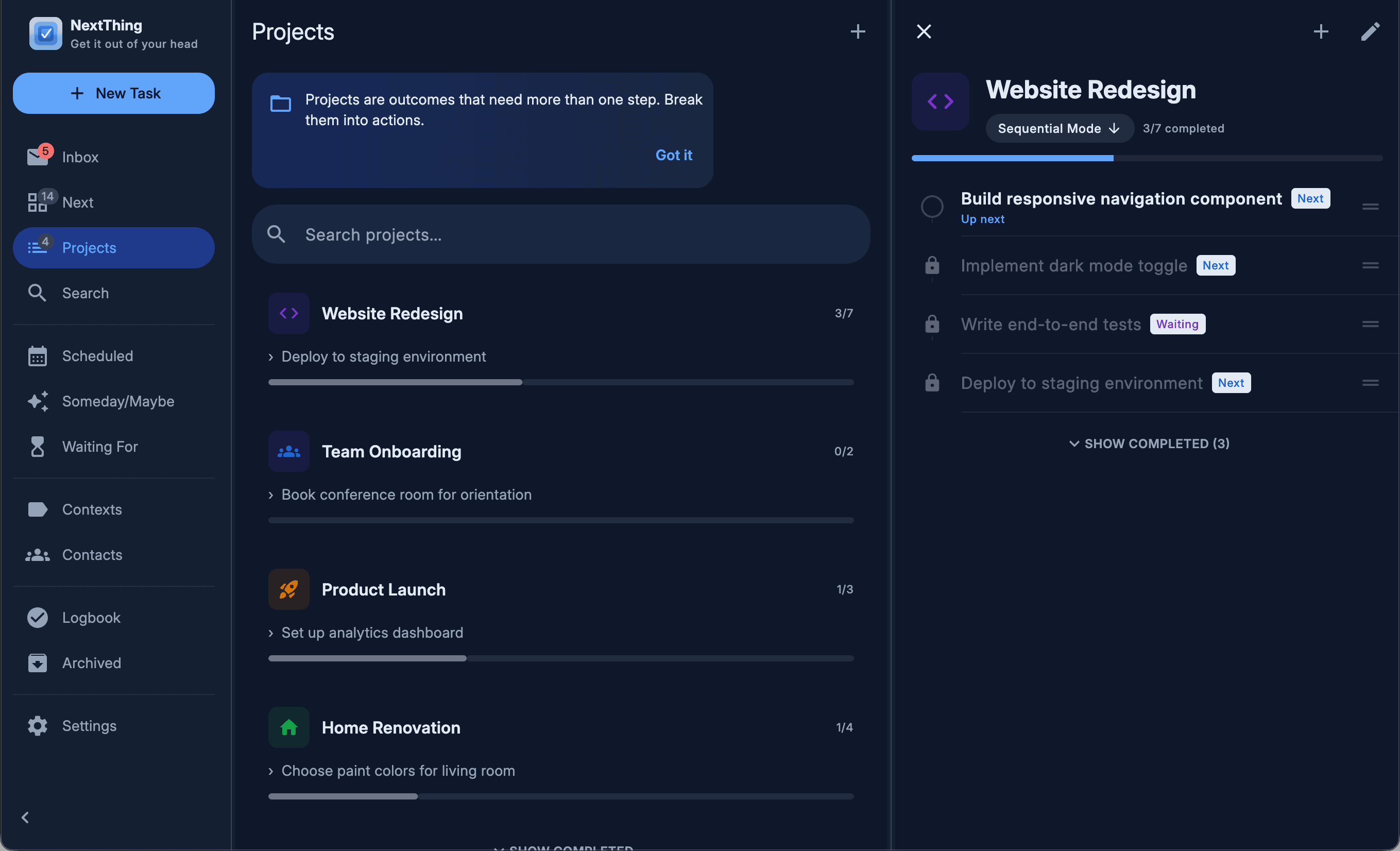
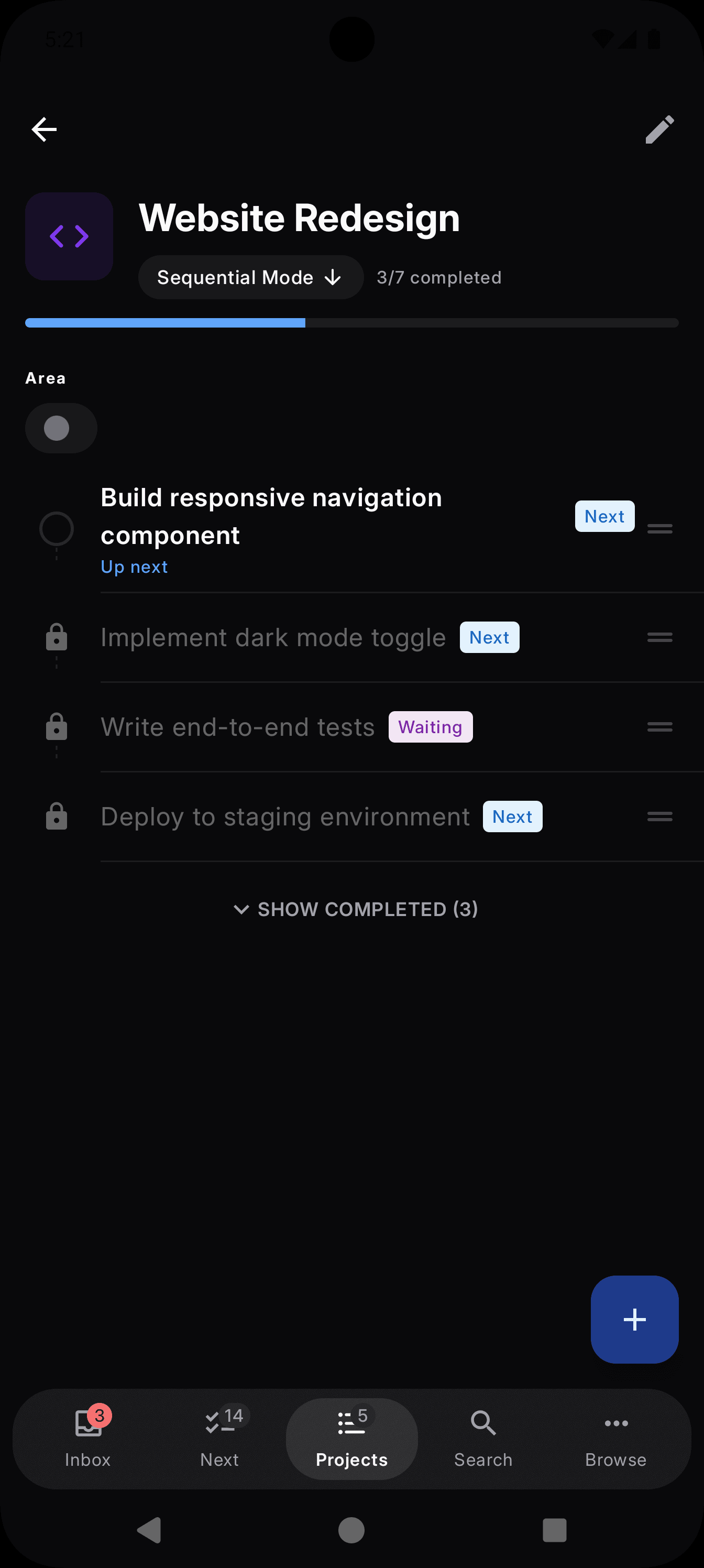
NextThing desktop — Flexible projects
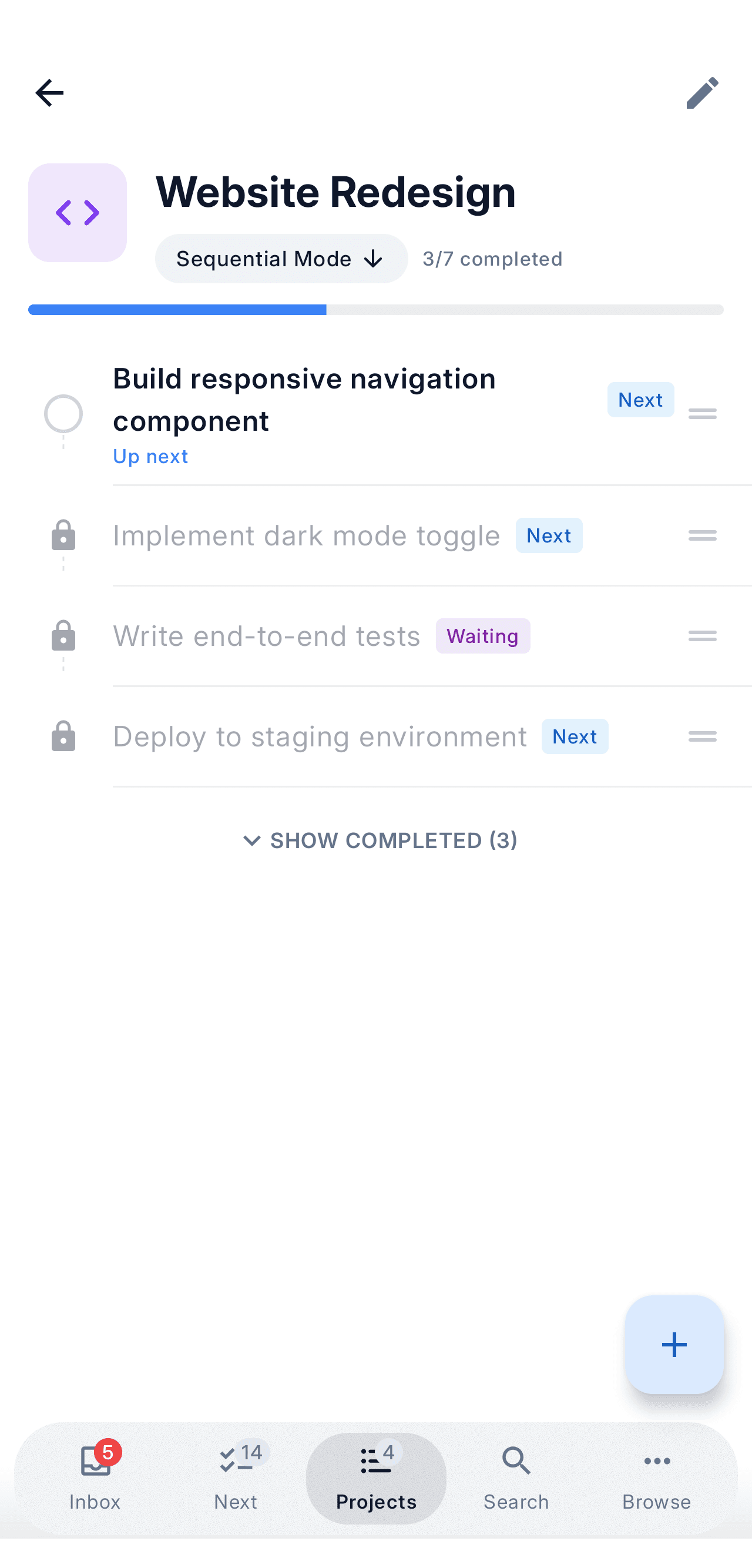
NextThing mobile — Flexible projects
NextThing
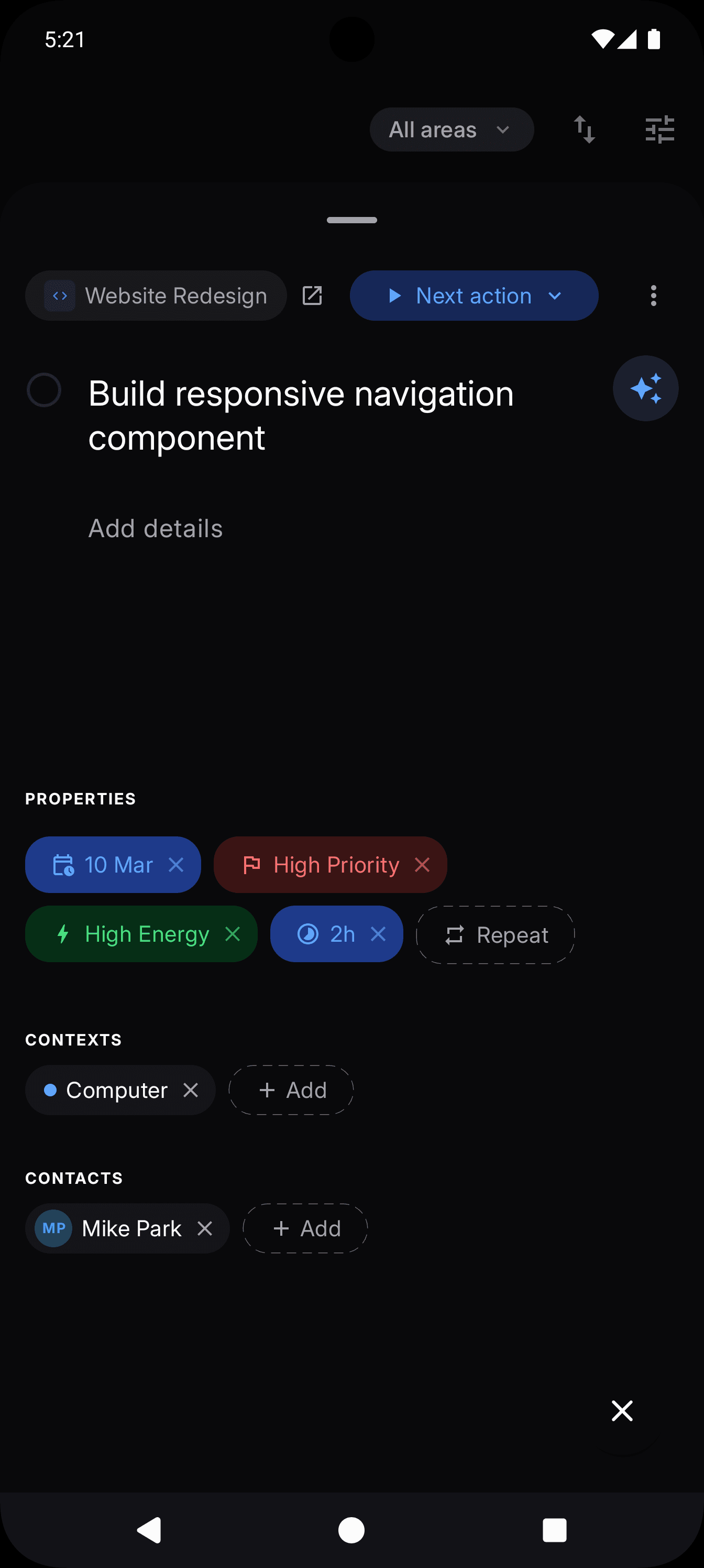
NextThing desktop — Rich task detail
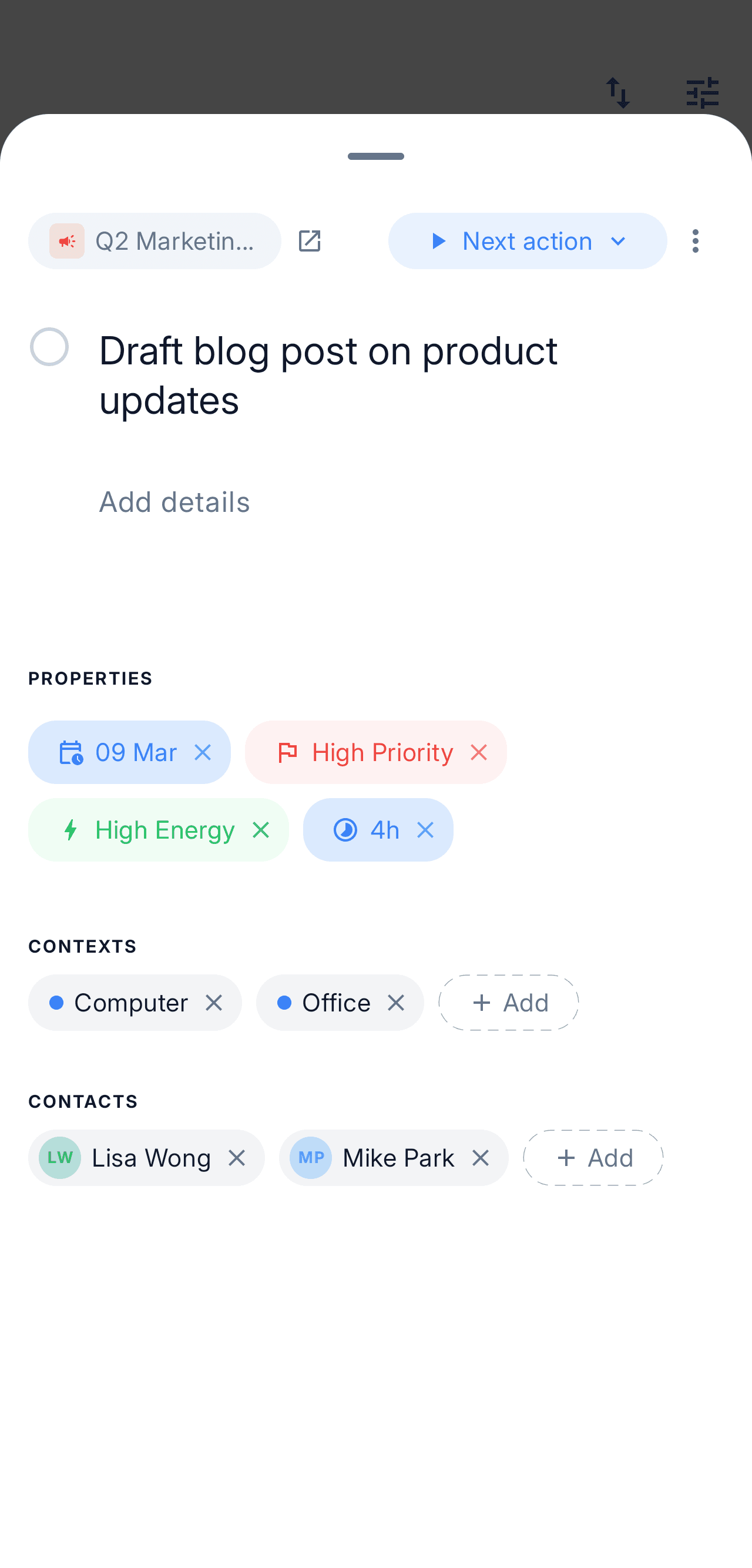
NextThing mobile — Rich task detail
NextThing
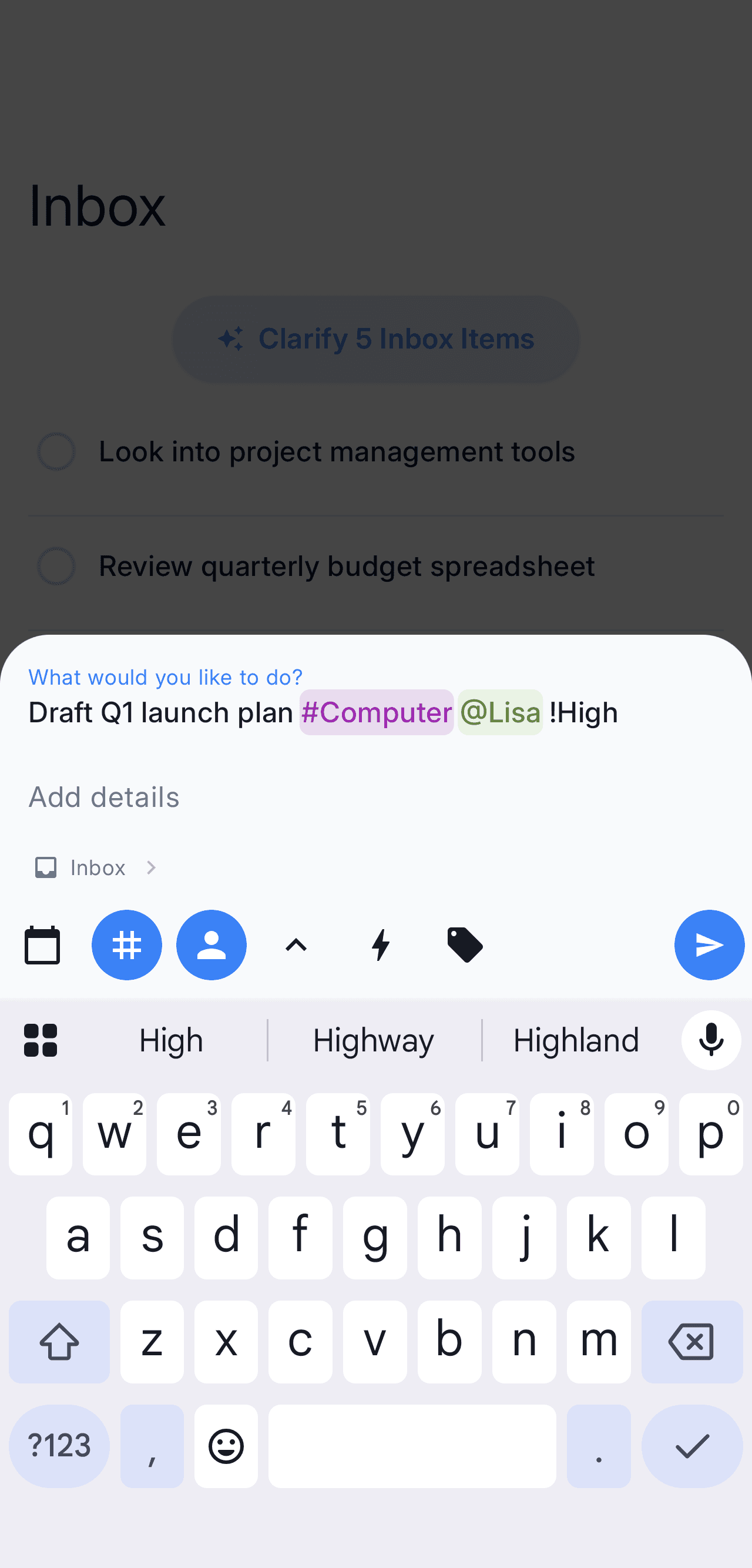
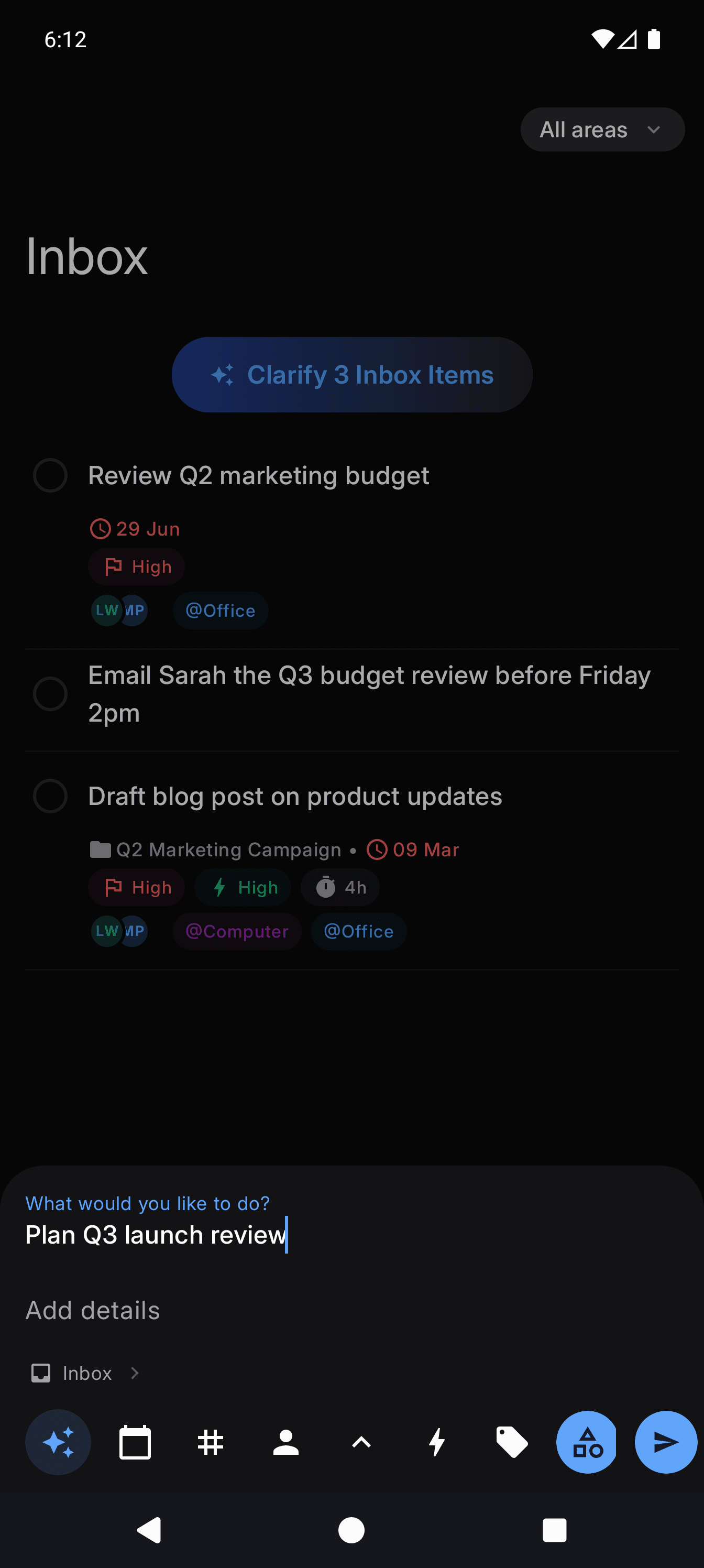
NextThing desktop — Two-second capture
NextThing mobile — Two-second capture
NextThing
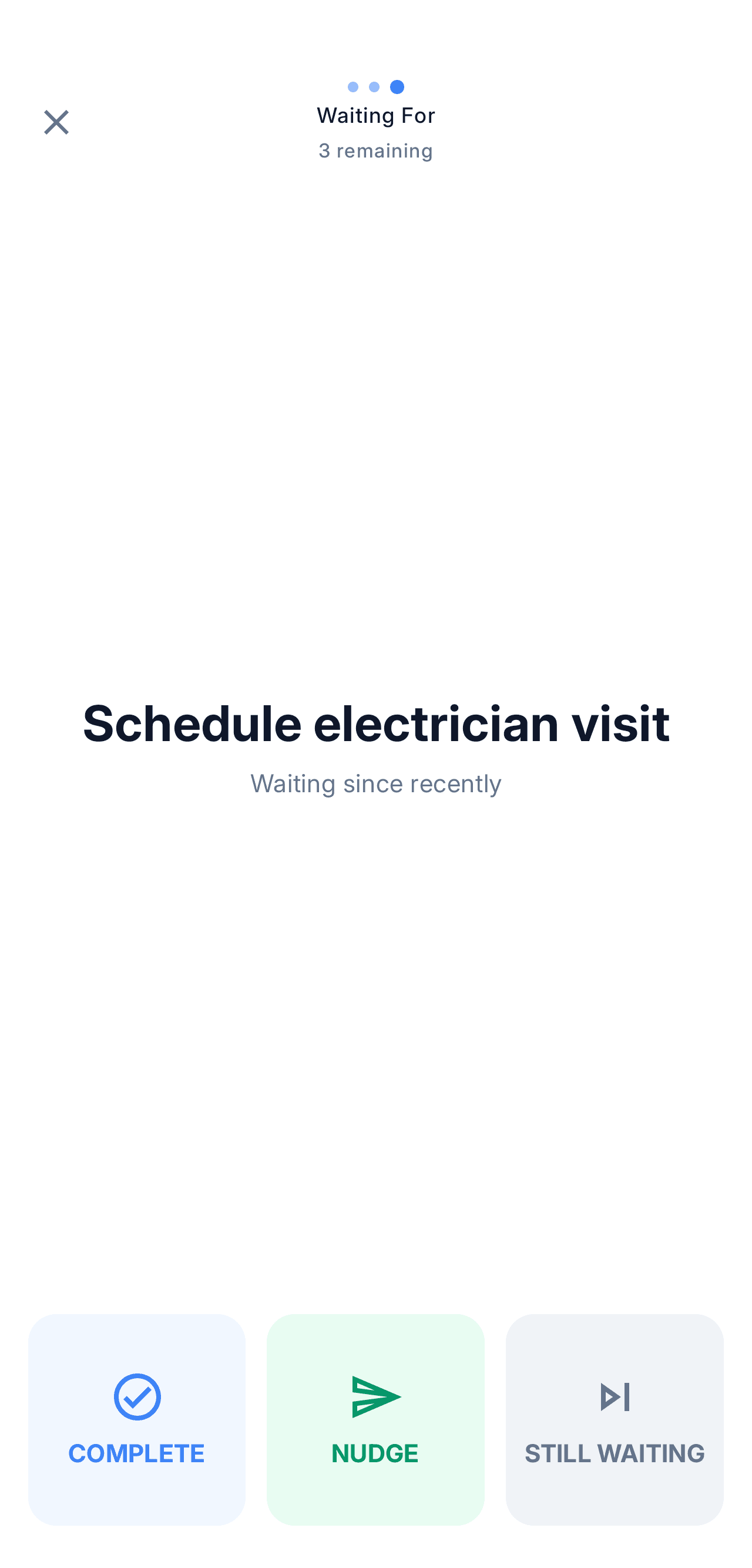
NextThing desktop — Weekly review
NextThing mobile — Weekly review
NextThing
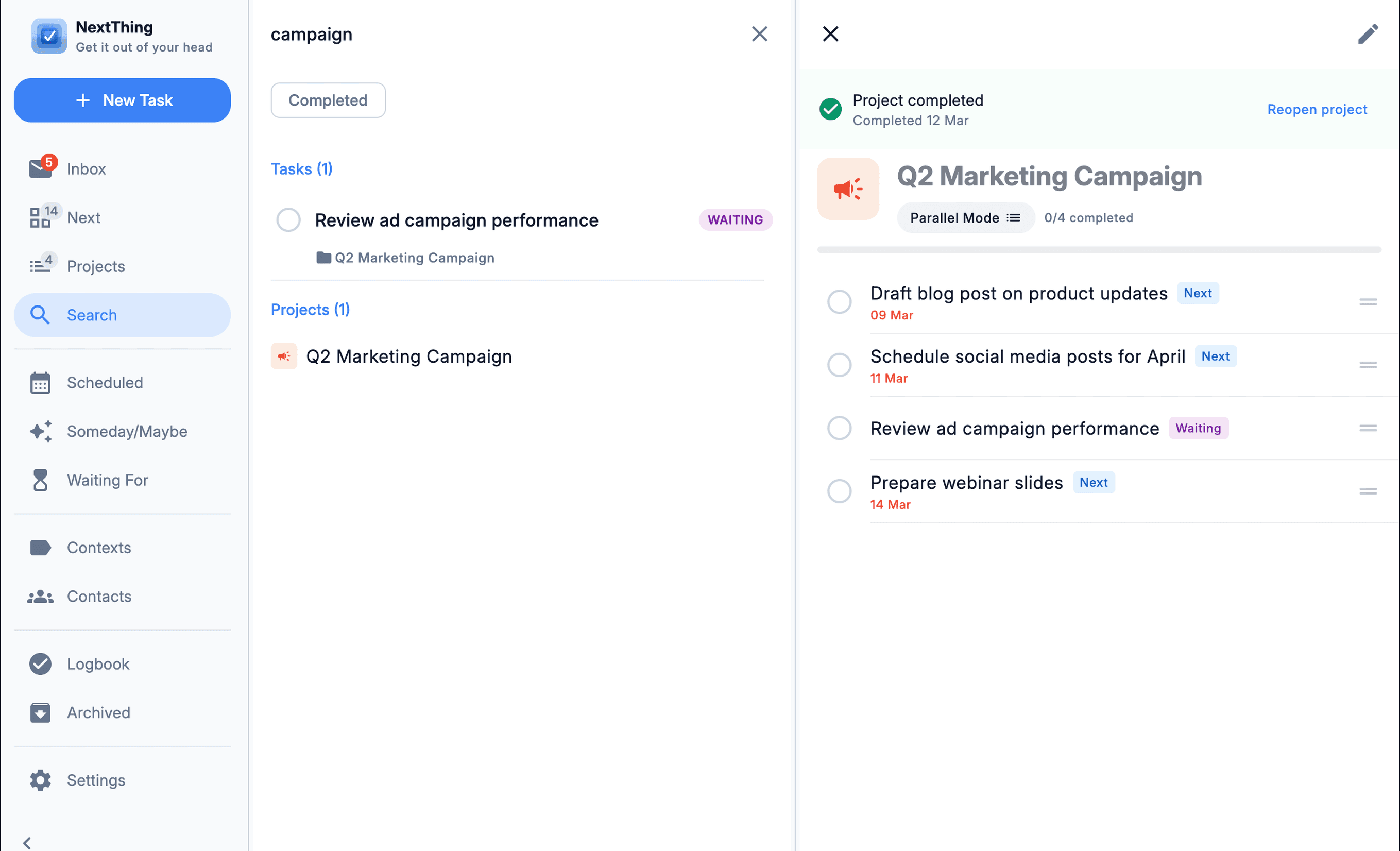
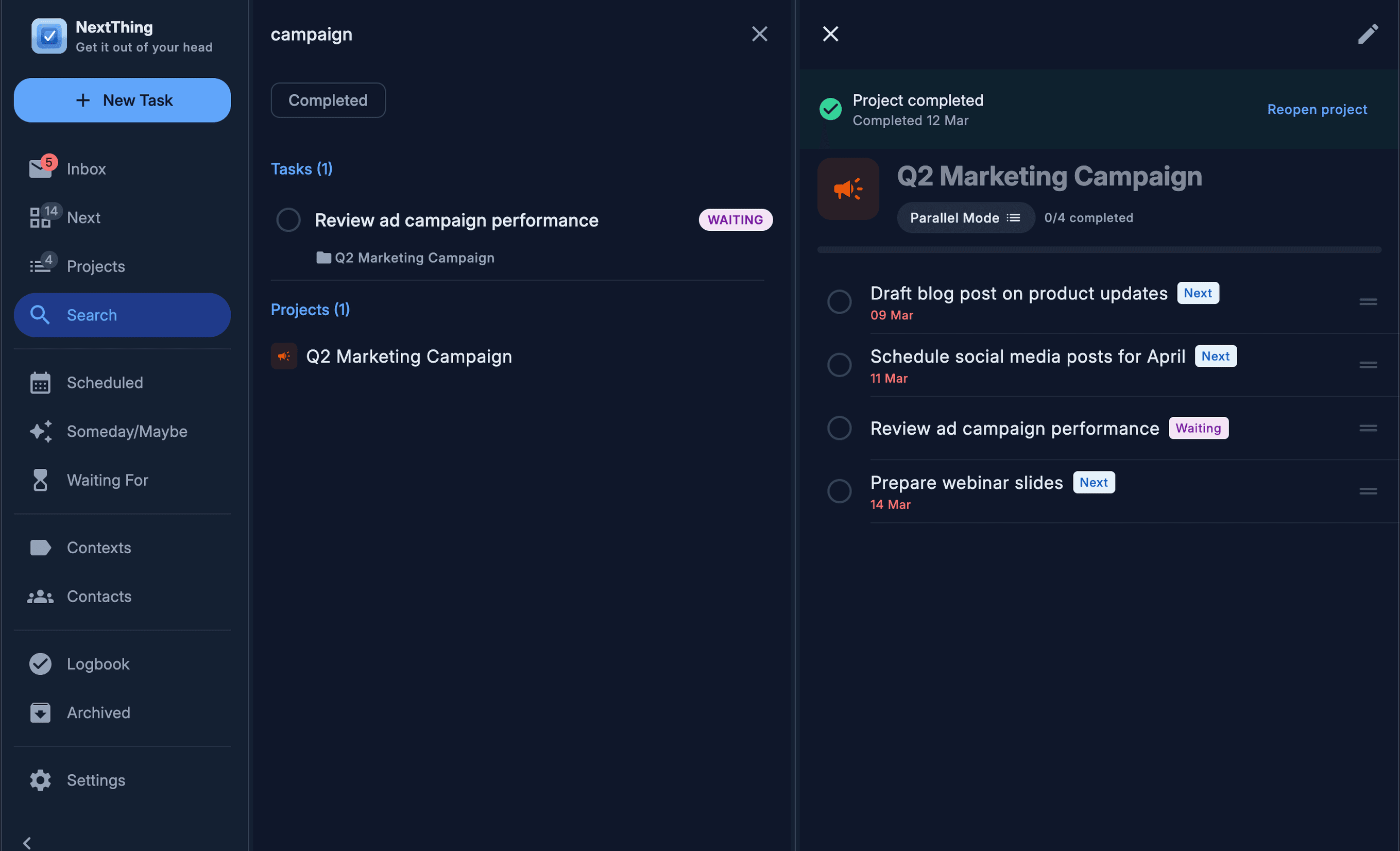
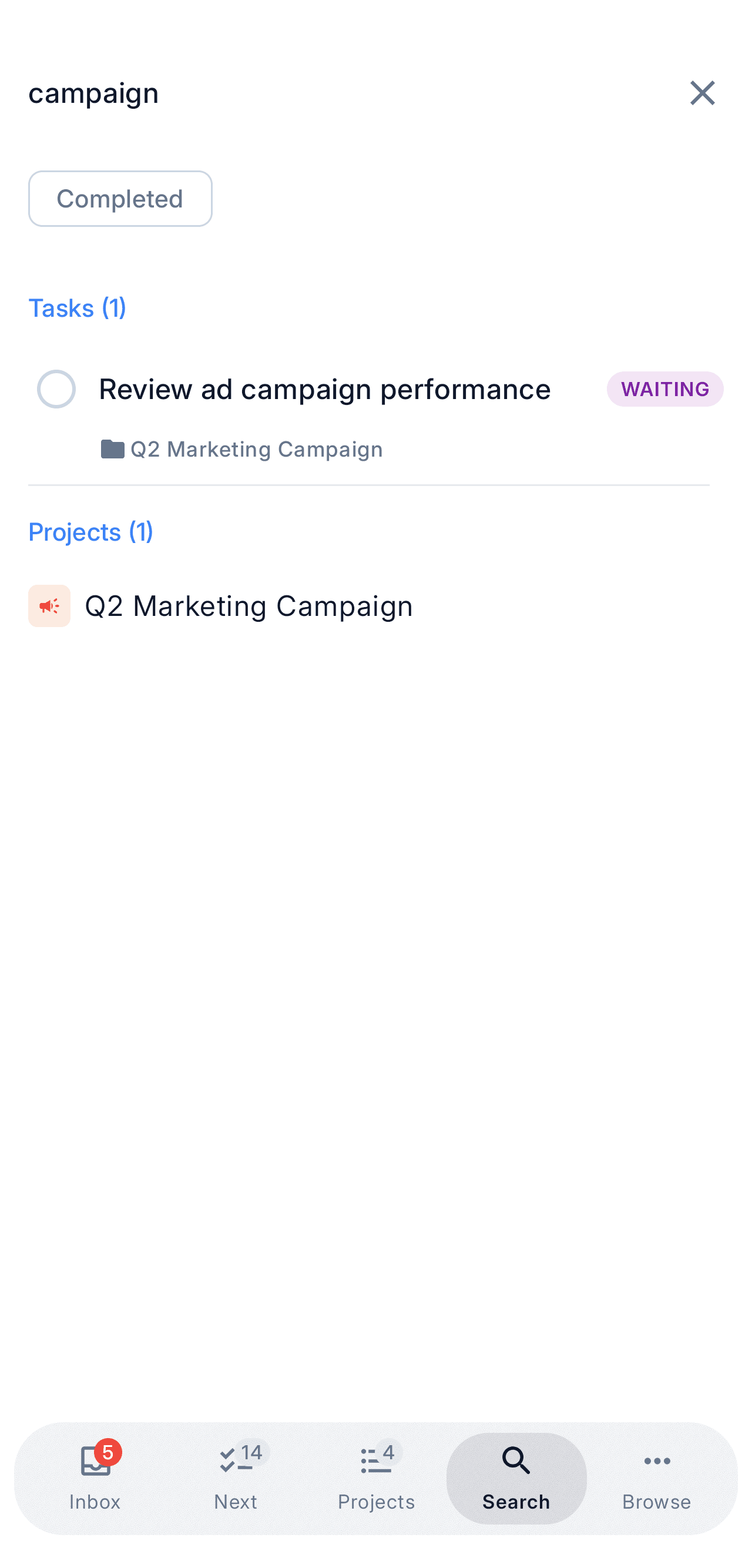
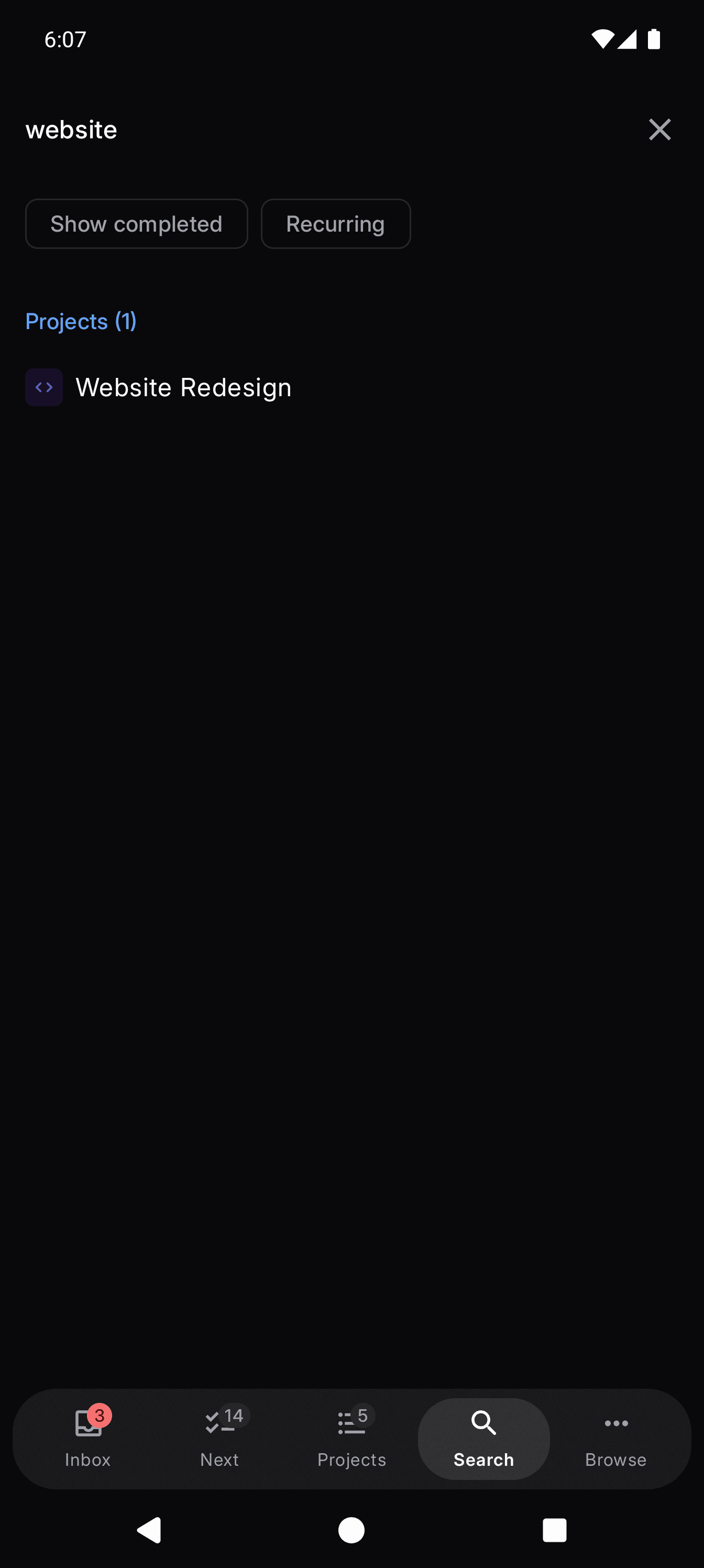
NextThing desktop — Instant search
NextThing mobile — Instant search
Next actions, filtered

Filter your list by energy, time, and context — see only what you can actually do right now.

Why NextThing

Real GTD shouldn't feel like a workaround.

Most "GTD apps" are either decade-old interfaces or generic task managers with a Next Actions tag bolted on. NextThing is built around the method, for every device you own.
  • Guided inbox processing

    NextThing walks you through every item, one at a time. The others just hand you an empty list.

    vs Nirvana, OmniFocus, Things, Todoist — none have it

  • Truly native on every platform

    iOS, Android, macOS, Windows, Linux. Real apps, not Electron wrappers.

    vs OmniFocus (Apple-only) and Nirvana (web-first)

  • The full GTD method, out of the box

    Sequential projects, Waiting For with contacts, energy and time filters — all built in.

    vs Things and Todoist — most of this is missing

See full comparison
Full GTD workflow
Inbox → Clarify → Organize → Reflect → Engage
  • NextThing
  • Nirvana HQ
  • OmniFocus
  • Things 3
  • Todoist
Guided inbox processing
Step-by-step clarify flow, not just an empty list
  • NextThing
  • Nirvana HQ
  • OmniFocus
  • Things 3
  • Todoist
Energy & time filtering
Match the right task to your current state
  • NextThing
  • Nirvana HQ
  • OmniFocus
  • Things 3
  • Todoist
Sequential projects
Show only the next action, hide the rest
  • NextThing
  • Nirvana HQ
  • OmniFocus
  • Things 3
  • Todoist
Waiting For with contacts
Track delegated tasks against real people
  • NextThing
  • Nirvana HQ
  • OmniFocus
  • Things 3
  • Todoist
Native apps on every platform
iOS, Android, macOS, Windows, Linux
  • NextThing
  • Nirvana HQ
  • OmniFocus
  • Things 3
  • Todoist
Offline-first
Full capture & process without a connection
  • NextThing
  • Nirvana HQ
  • OmniFocus
  • Things 3
  • Todoist
Modern, fast UI
Modern UI, not a clunky legacy one
  • NextThing
  • Nirvana HQ
  • OmniFocus
  • Things 3
  • Todoist
Cross-device sync
Capture on phone, process on desktop
  • NextThing
  • Nirvana HQ
  • OmniFocus
  • Things 3
  • Todoist

Comparison based on publicly available information. Trademarks belong to their respective owners.

Plus the Essentials

The rest of the GTD system, fully covered.

Every core piece, without the compromises.

Capture everything
  • Inbox & quick capture from any device
  • Cross-device sync, end-to-end
  • Lightning-fast search across everything
Organize your way
  • Contexts & contacts (@home, @office, @errands)
  • Energy & time estimates on every task
  • Sequential & parallel project modes
Master your time
  • Waiting-for list with follow-up reminders
  • Defer & schedule until tasks are actionable
  • Someday / Maybe for ideas that aren't ripe yet

New to GTD? Learn the methodology

On the Roadmap

What's coming next.

In development now. Waitlist members get access first.

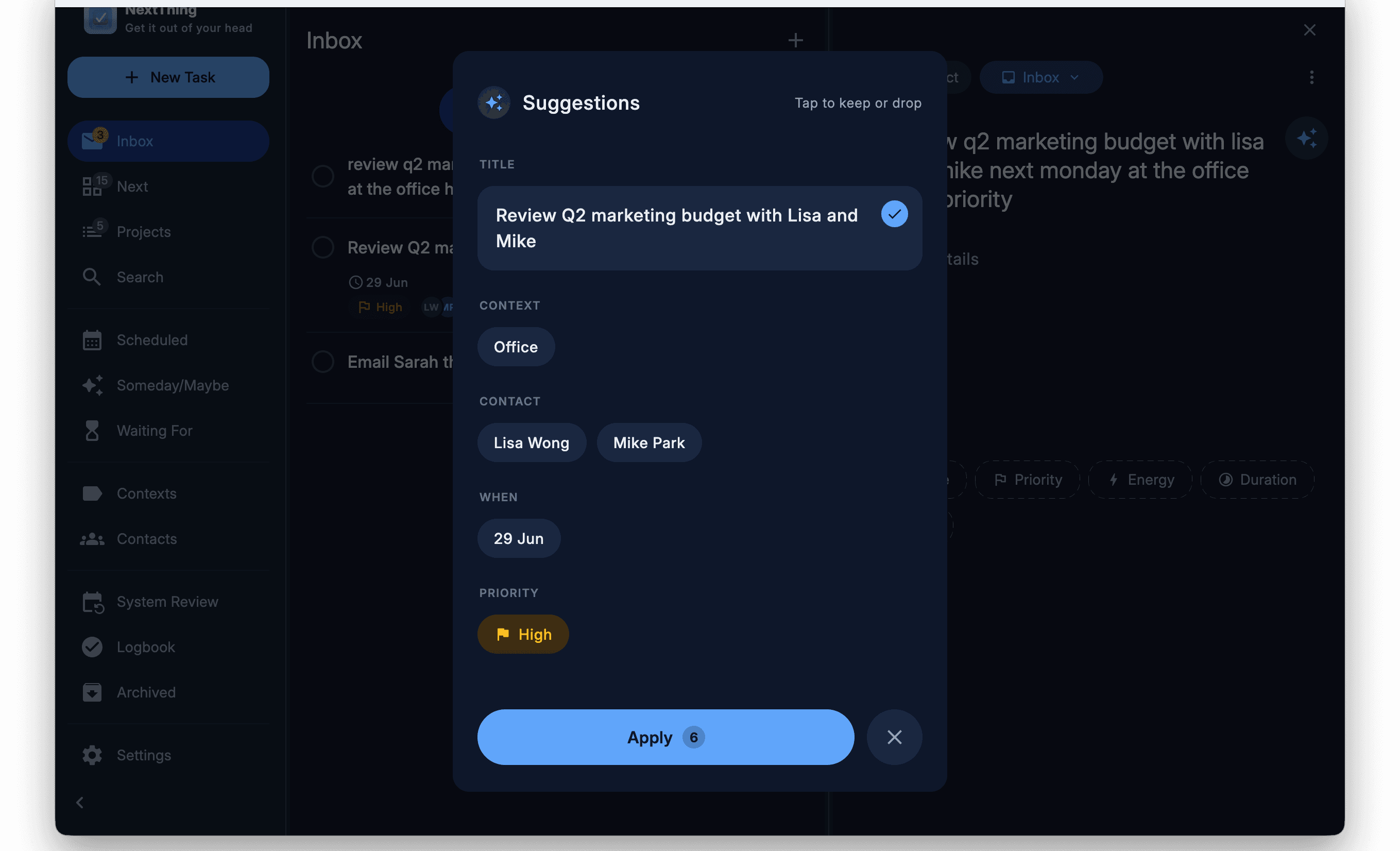
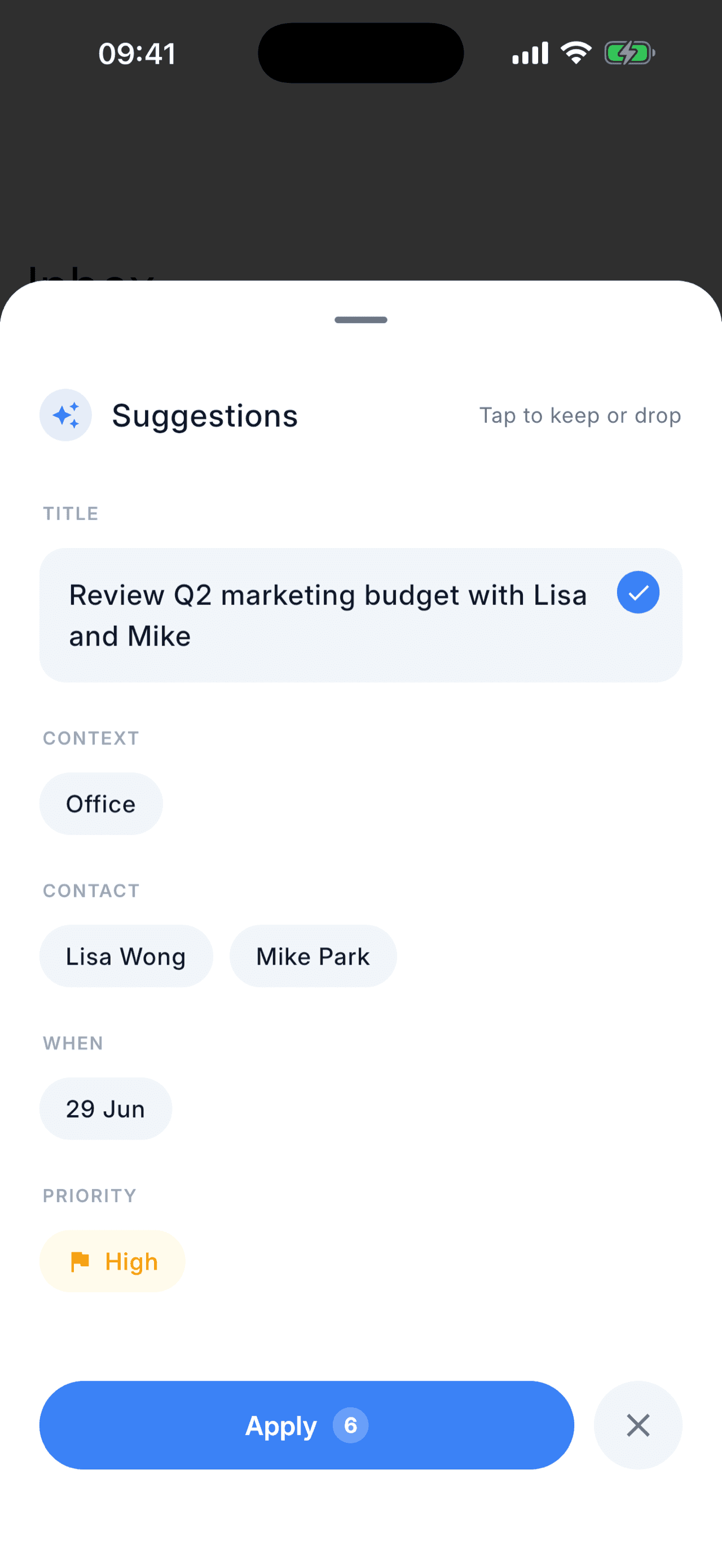
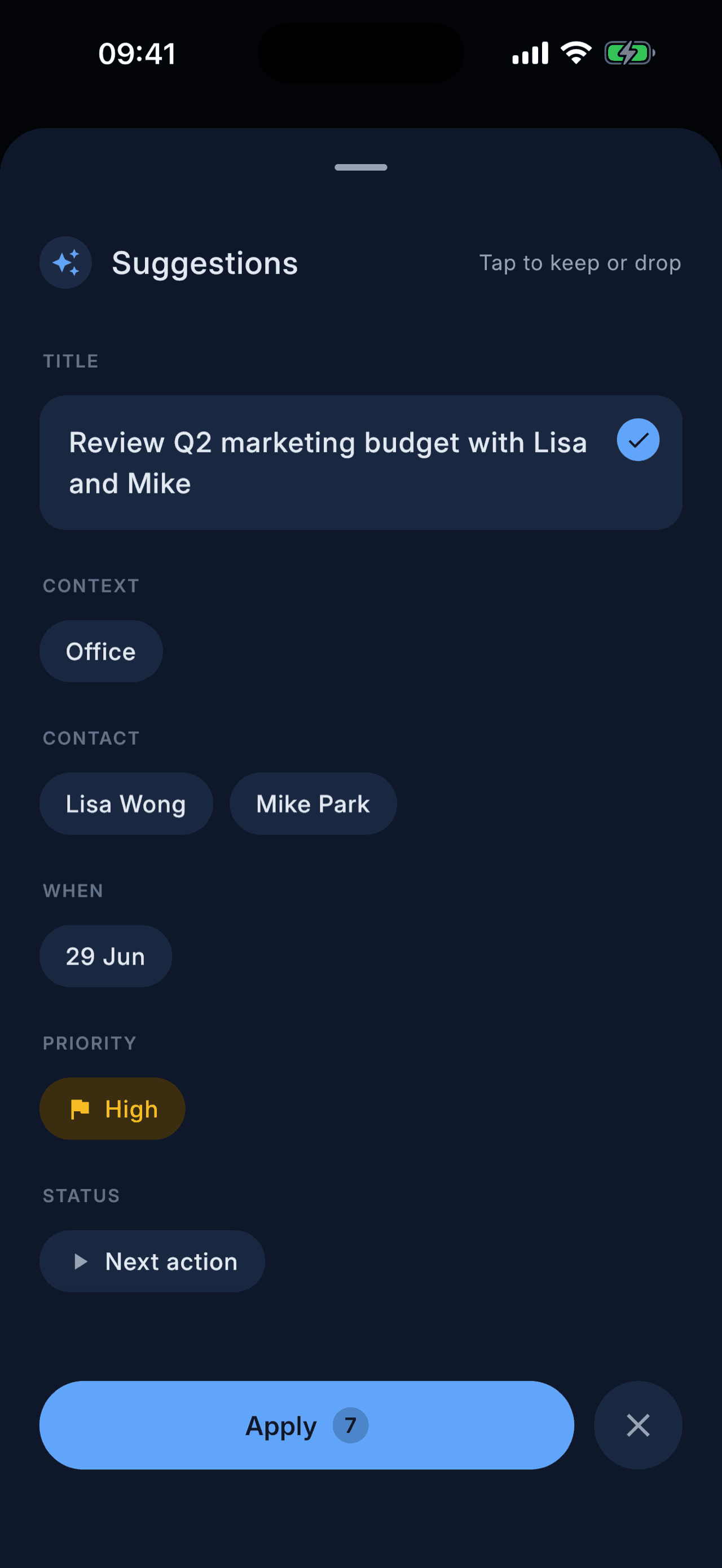
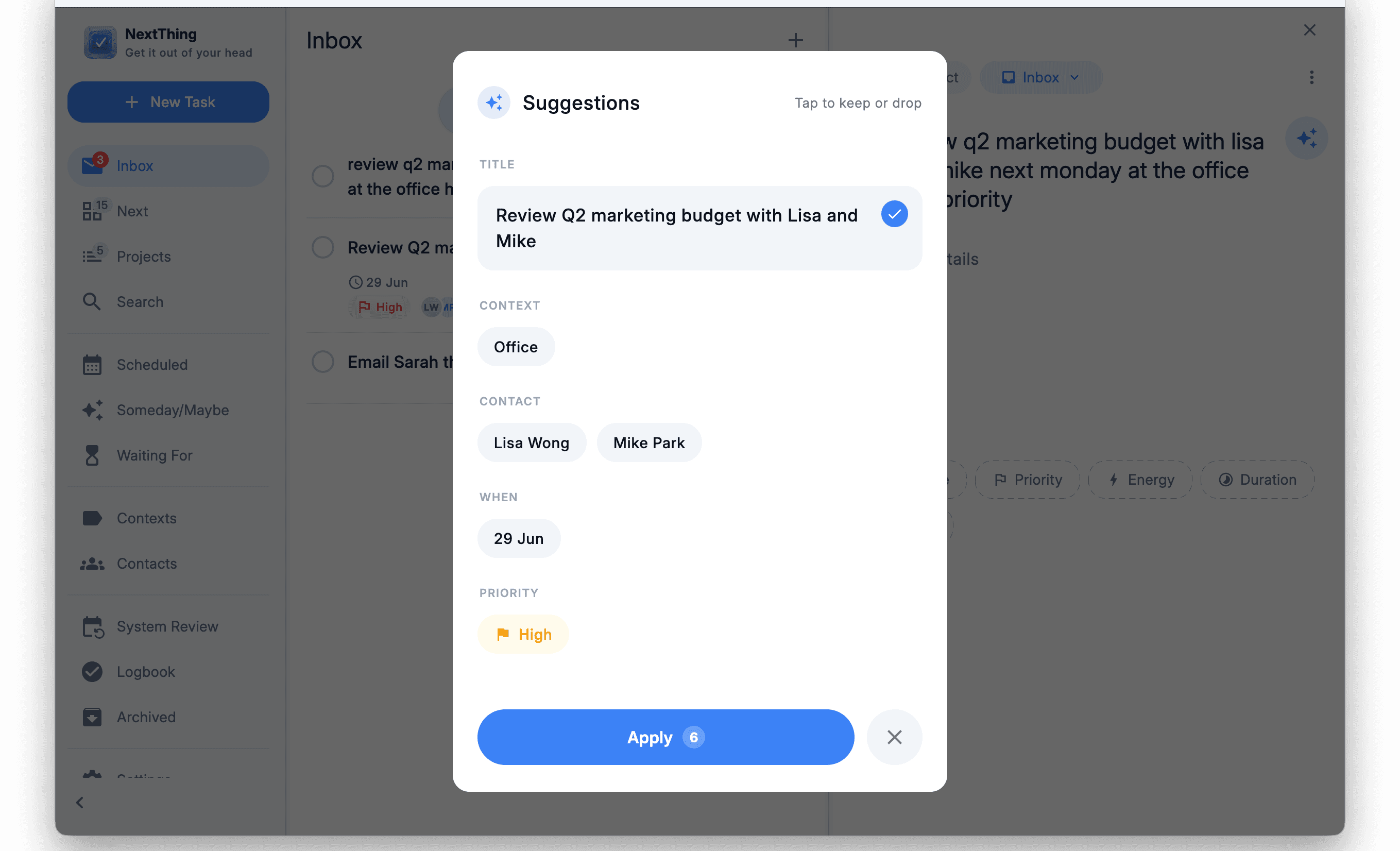
AI-Powered Processing

Type a task name and AI suggests context, project, contacts, energy level, and due date automatically. One tap to confirm — no manual filling.

Import from Other Apps

Coming from Todoist, Things, OmniFocus, or Nirvana? One-click import for your projects and tasks. Your history, now in a system built for GTD.

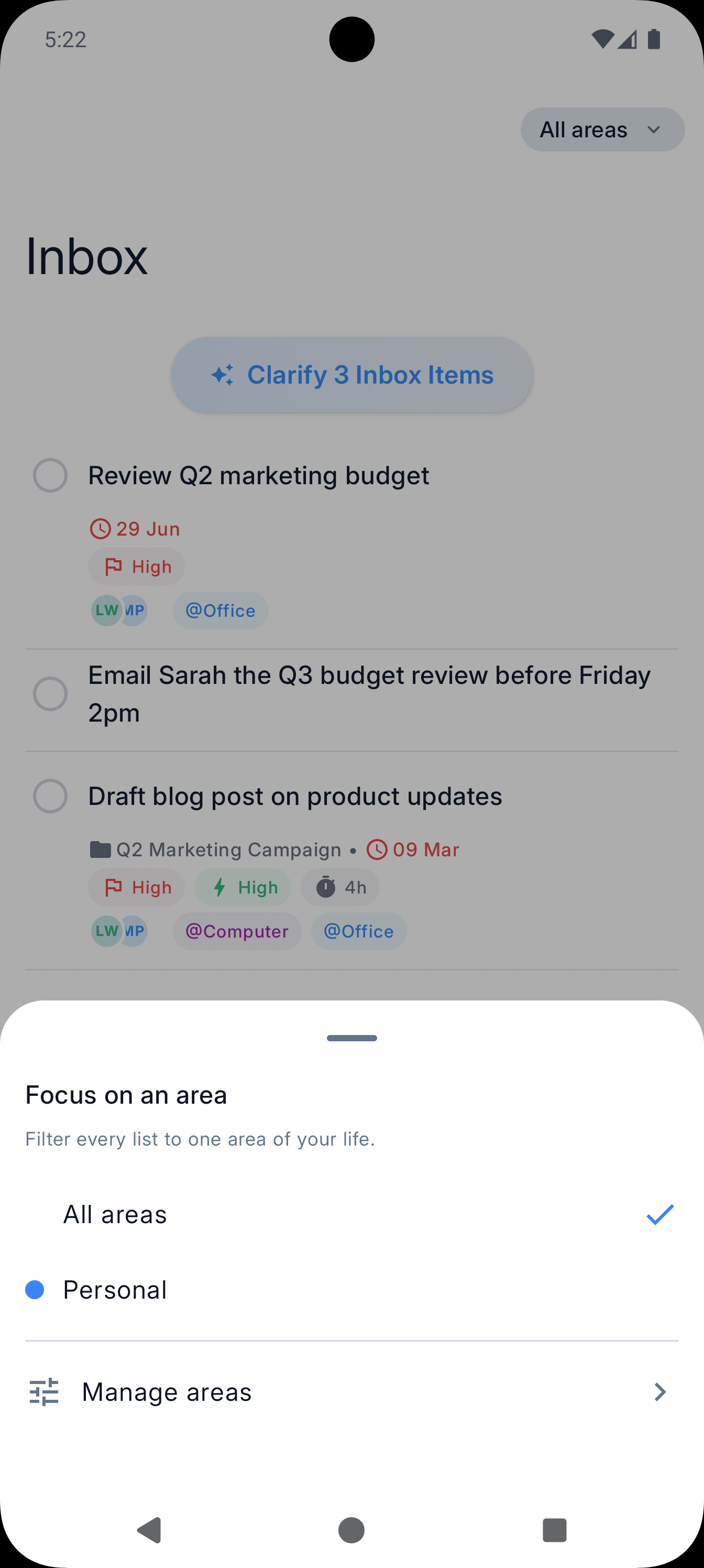
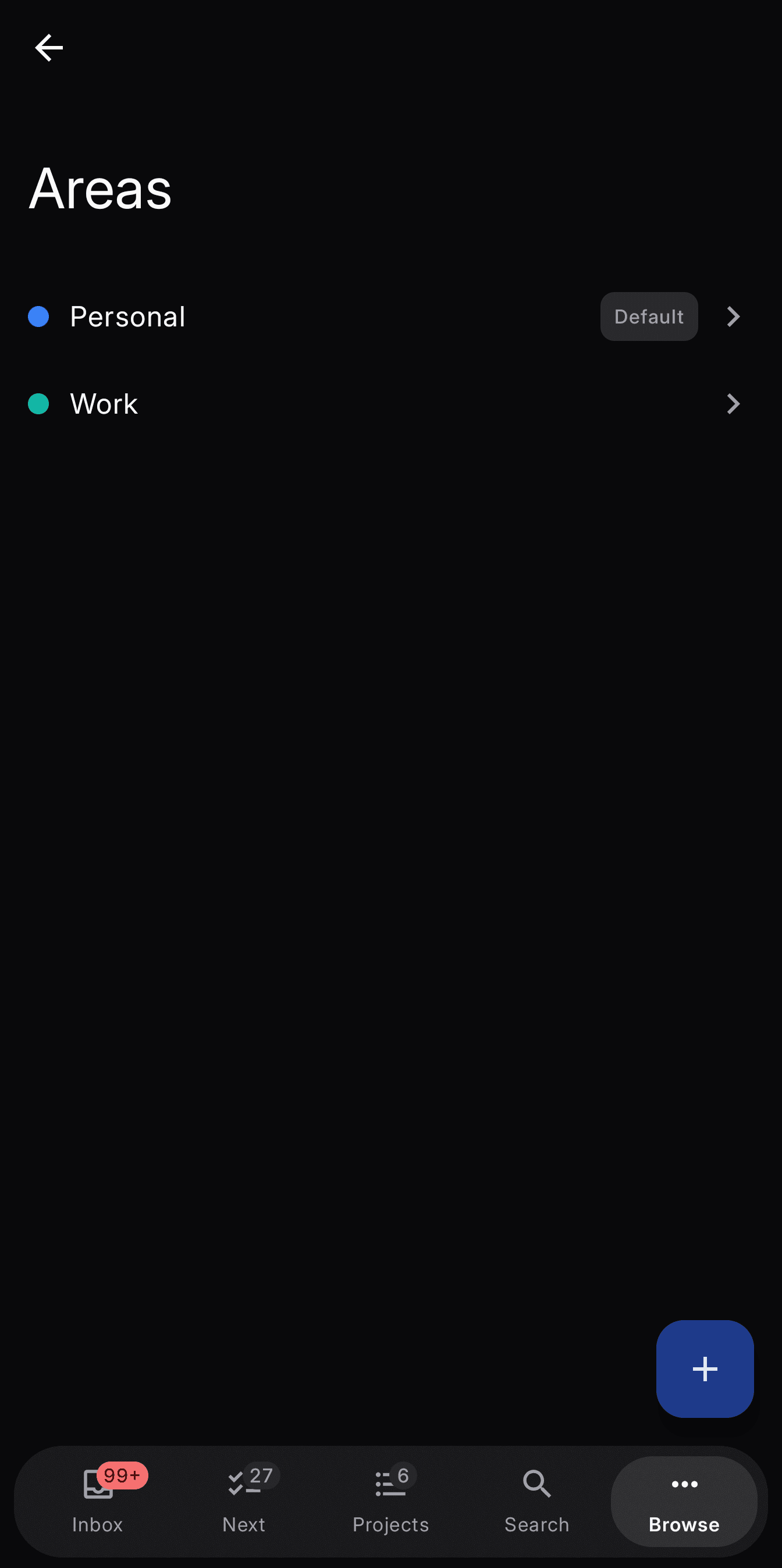
Areas of Focus

Map projects and actions to life areas — health, career, finances. See the bigger picture so you stay aligned with what matters, not just what's urgent.

Simple Pricing

Start free.
Upgrade when you're ready.

No lock-in. No hidden fees. Core GTD workflow on every plan.

Free

Free/ forever

The complete GTD workflow to get you started. Perfect for trying the system.

  • Full cross-device sync
  • Up to 5 projects
  • Up to 5 contexts
  • Up to 5 contacts
  • 1 weekly review
  • Ocean theme
  • 5 default quick filters
Recommended

Premium

$4.99/ month

Everything unlimited. Unlock the full GTD experience across all your devices.

  • Unlimited projects, contexts & contacts
  • Unlimited weekly reviews
  • Accent themes (Sage, Lavender, Sand, Slate)
  • Customize quick filters with drag & drop
  • Priority support

Launch pricing ends soon

Stop fighting your task app. Start trusting your system.

Launching on every platform you use. Waitlist members get early access and a launch discount.

One email at launch. Unsubscribe anytime.

iOS
macOS
Android
Windows
Linux